

SSO / SCIM
Feature video
Who is this for?
- Companies that want to industrialize authentication and have a single password for all their applications.
- Security and IT administrators who manage access and the account life cycle.
Permissions and licenses
- Requires: Governance
- Requires the Governance add-on, which can be enabled on any plan.
- Page restricted to people allowed to change company settings.
- SCIM is currently only available for Microsoft Entra.
- The identity provider must be ready on the IT side before you start.
How to use it
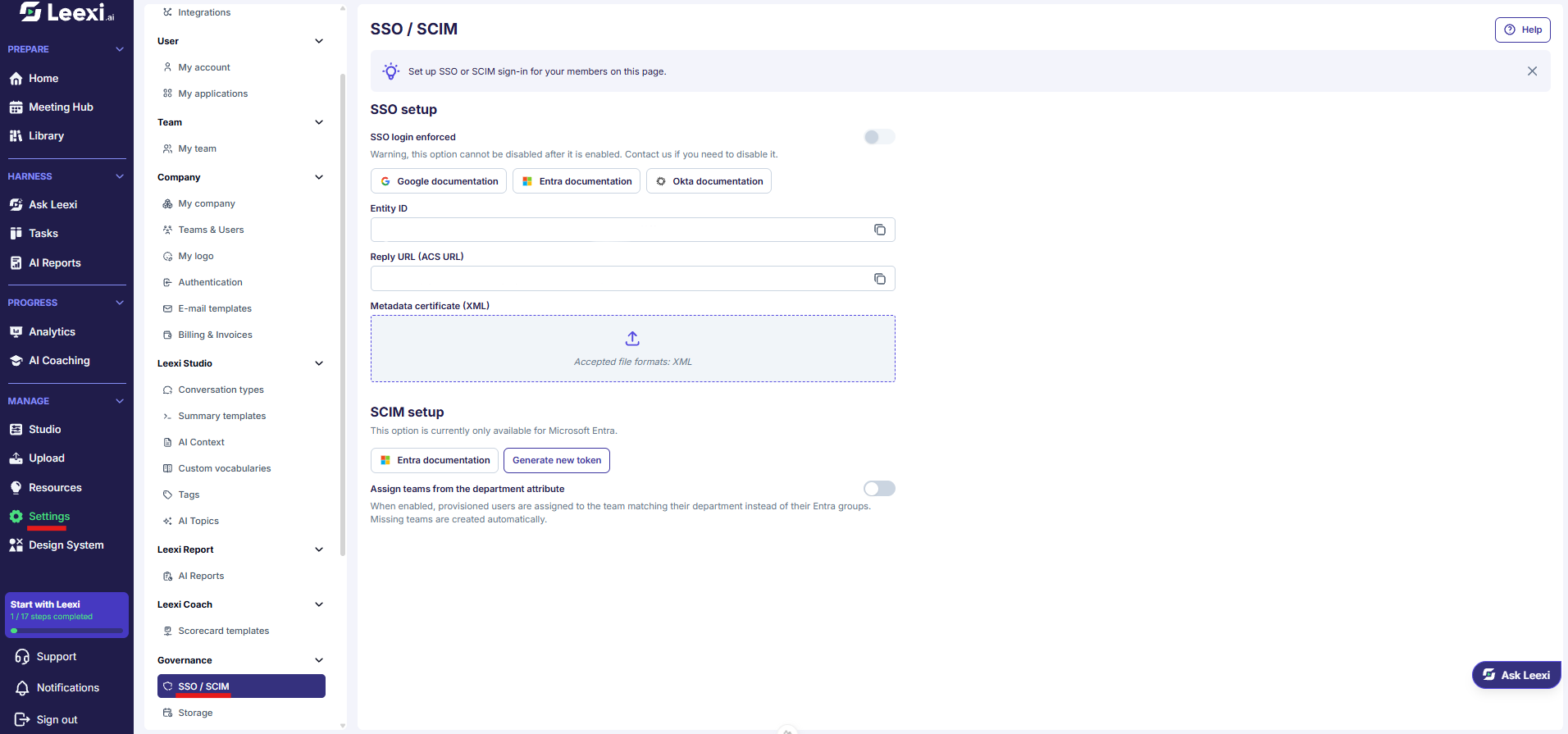
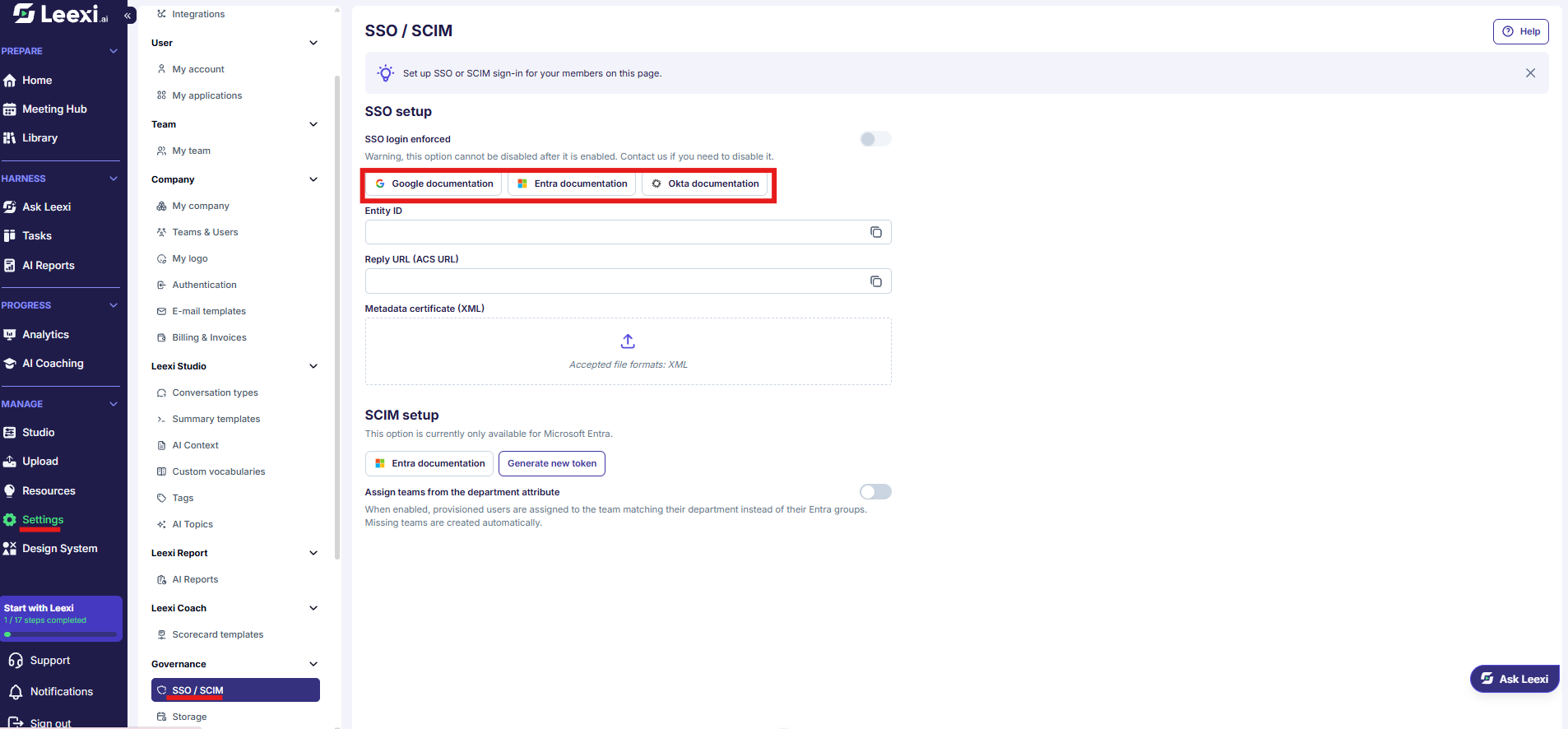
Check that the Governance add-on is active
SSO and SCIM are part of the Governance add-on. Confirm it is active on your subscription before you start.
Open the page
Go to Settings > Governance > SSO / SCIM.
If your subscription goes through a reseller, the page tells you that the SSO setup is managed by your provider and cannot be changed here.
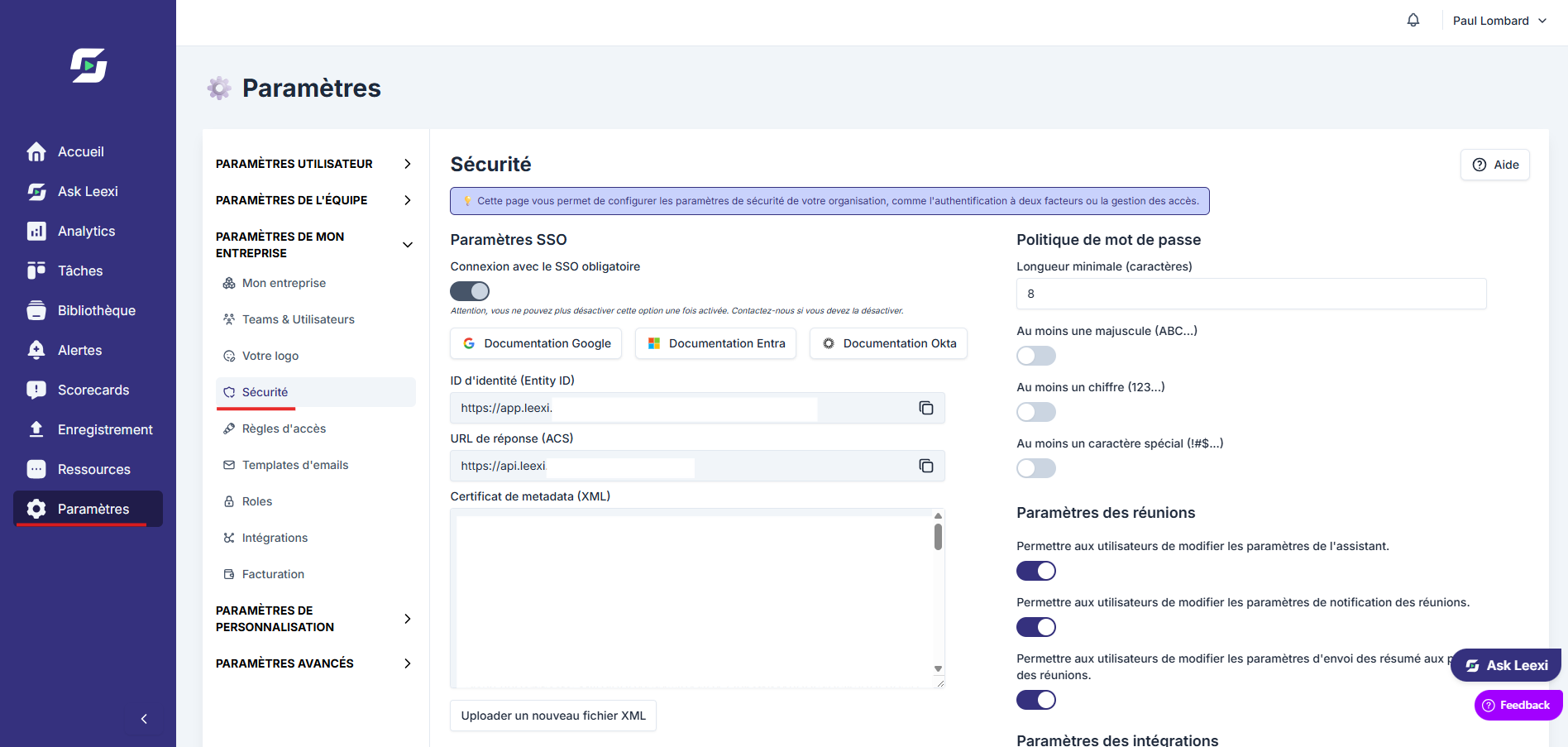
Fill in the identity information
The SSO setup block gives you the two values to declare with your identity provider — the Reply URL (ACS URL) and the Entity ID — and expects in return the Metadata certificate (XML) exported from that provider. Only the XML format is accepted.
To replace an existing setup, use Upload a new XML file.
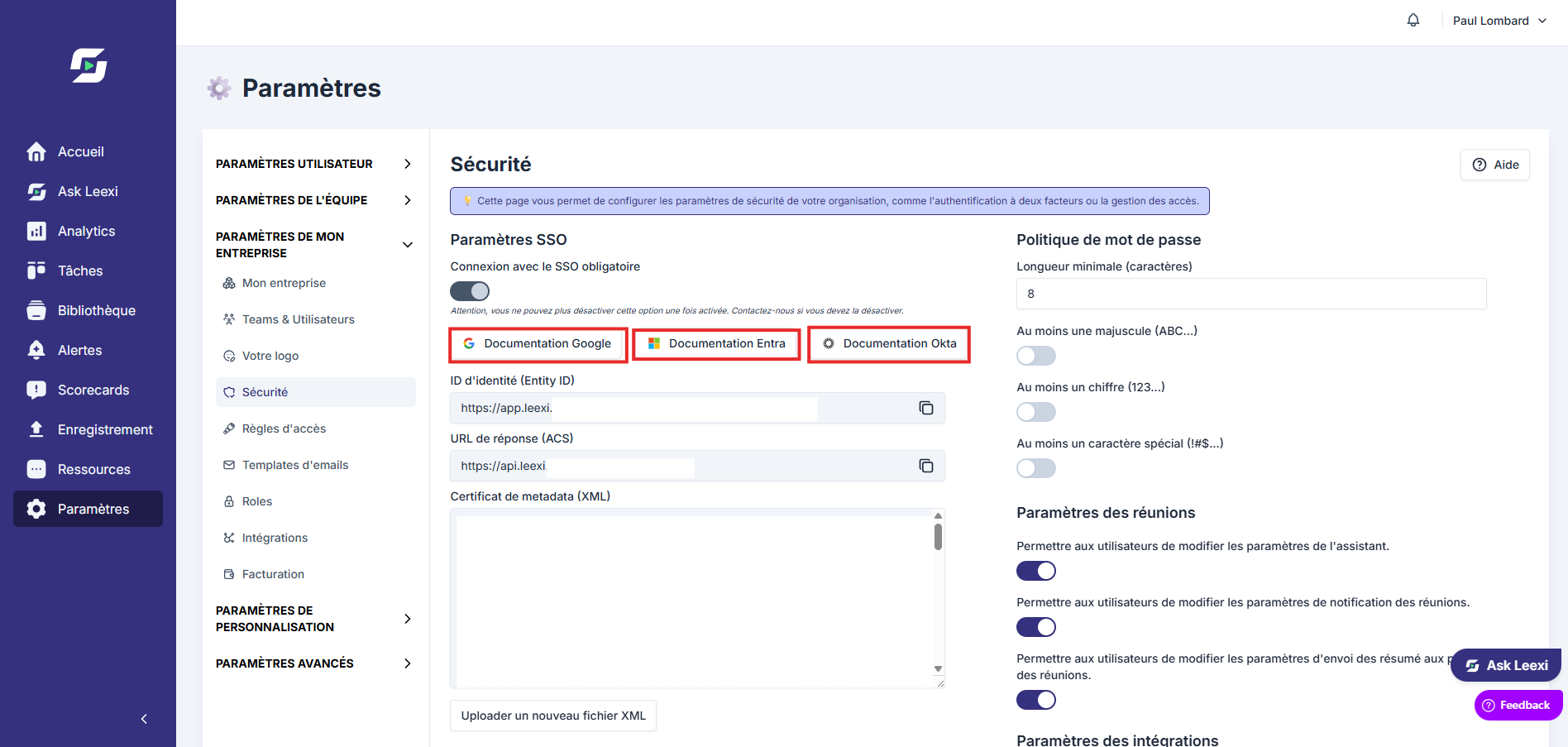
The page offers documentation links for Google, Microsoft Entra and Okta. The steps specific to each provider, including Keycloak and AD FS, are detailed here:
Test on a limited scope
Check the login on a few accounts before going any further.
Enforce SSO
The SSO login enforced setting removes password login for the whole company.
You can no longer disable this option yourself once it is enabled: contact Leexi if you need to revert. It also makes the password policy and two-factor authentication of the Authentication page irrelevant, since they are then delegated to your identity provider.
Provision accounts with SCIM
The SCIM setup block generates the SCIM token to declare in Entra. The token is only displayed once, when it is created: keep it somewhere safe.
Generating a new token immediately invalidates the previous one — you then need to update it in Entra. Deleting a token is irreversible.
The Assign teams from the department attribute option attaches each provisioned user to the team matching their department, instead of their Entra groups. Missing teams are created automatically.
SCIM never adds or removes the super admin, system admin and billing manager roles: only a super admin can assign them, directly in Leexi.
Going further
- SSO makes large-account rollouts and compliance policies easier.
- It combines with your existing Leexi roles: it does not replace them.
- SCIM avoids orphan accounts: a departure handled in the directory deactivates the matching Leexi account.
- Google, Microsoft or other provider integrations should be framed with your IT team.
Frequently asked questions
Things to watch out for
- A wrong setup can lock your users out.
- Always test on a small group before enforcing SSO — the operation cannot be reversed without Leexi's help.
- Keep administrators able to access the system during the transition phase.
- A regenerated SCIM token stops provisioning until it is updated in Entra.