

Getting Started
Billing
View your subscription, invoices, and payment methods from the Leexi billing area.
Definition: The billing area is made of two pages: My licenses, to choose the plan, the billing period and the modules, and My invoices, for billing details, payment methods and the invoice history.
Feature video
No video is available at this time.
Who is this for?
- Administrative and finance managers.
- Administrators who manage the Leexi subscription for their company.
Permissions and licenses
- The page is restricted to users authorized to manage billing.
- This access is notably included in the Billing Manager and Super Administrator roles.
- Access also depends on how your company account is organized.
How to use it
Open billing
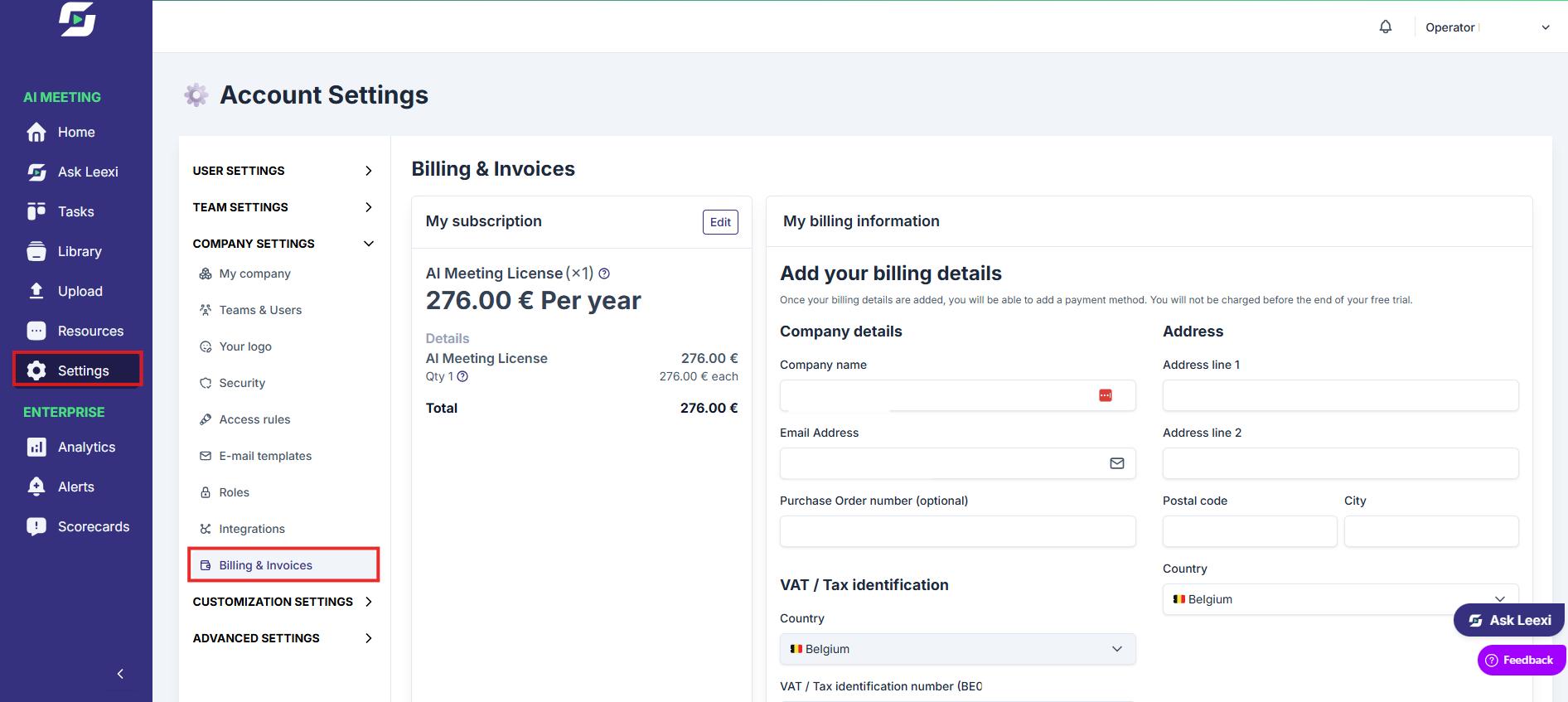
Go to Settings > Company > Billing & Invoices. The page opens on My invoices when a Stripe subscription is active, unpaid or paused, otherwise on My licenses. The My licenses and My invoices buttons in the header switch between the two.
Choose the plan and modules on My licenses
The My licenses page contains, from top to bottom:
- the billing period selector (monthly, quarterly, half-yearly or yearly);
- the
My planblock, with the active plan, the licenses in use and the amount; - the
Our plansgrid, to switch to another plan; - the
Our modulesblock, to add or remove a module and choose who it applies to; - the
Feature comparison.
Plan, period and module changes are made directly in the app, with a summary of the impact before confirmation. The content of each plan and module is described in References › Plans and modules.
Manage invoices and payment on My invoices
The My invoices page contains:
- the
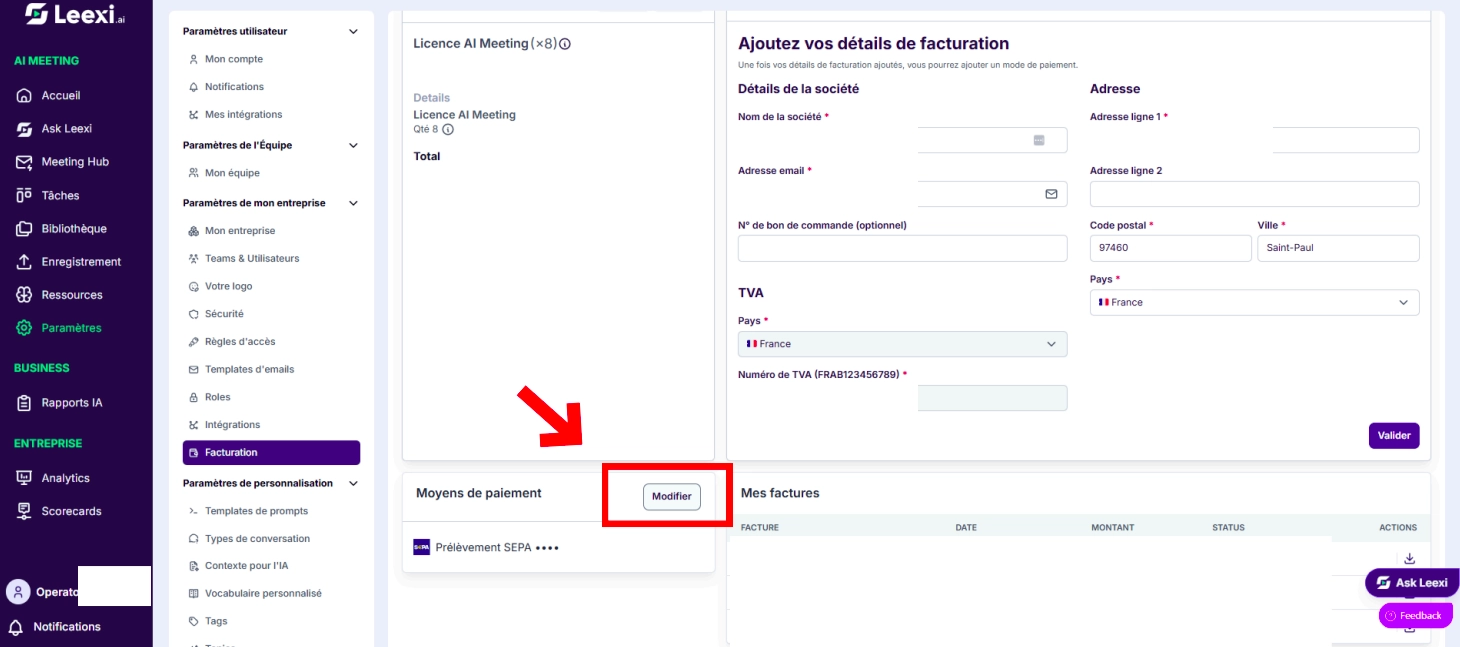
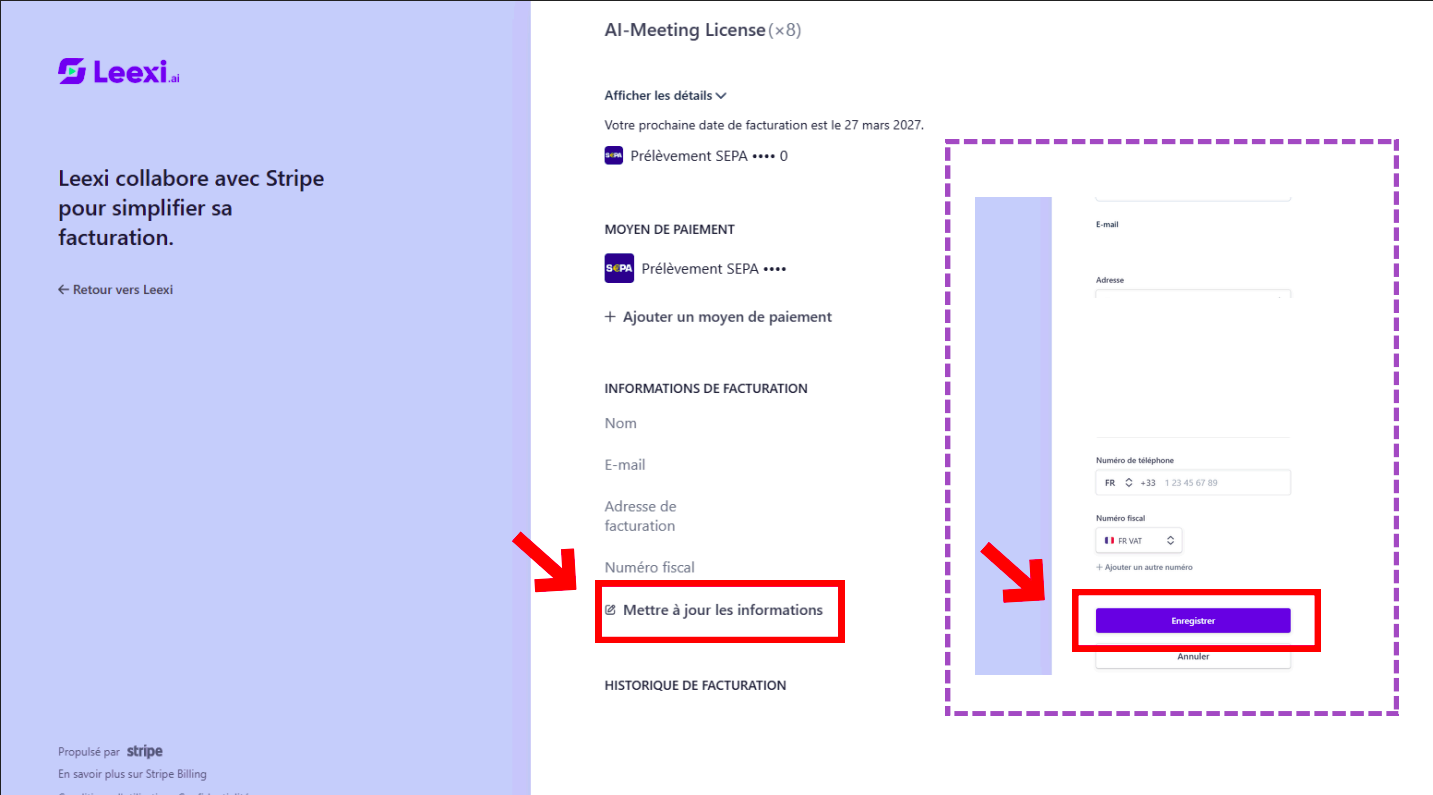
My planblock, with the detail of the subscription lines, the renewal date and the cancellation button; Billing details, editable in the app (company name, address, VAT number, purchase order number);Payment methods, whose editing opens the Stripe portal in a new tab;- the list of invoices, with their status and their PDF download.
Retrieve invoices
Download invoices already issued for your accounting needs.
Cancel the subscription
From the My plan block of My invoices, click Cancel and follow the steps.
Going further
- Only the editing of payment methods goes through the Stripe portal; everything else is set in Leexi.
- Billing is separate from product roles: you can delegate this access without opening up other technical settings.
- Plan changes have a direct impact on the features available.
- When transitioning from trial to a paid license, the first call may not be recorded. Wait a few minutes after activating the license before starting a new recording.
Frequently asked questions
Only users authorized to manage billing have access to this page.
Yes. From My invoices, the
Payment methods block opens the Stripe portal where you add or replace a card or a SEPA mandate.From My invoices, edit
Billing details: the VAT number is entered directly in Leexi, without going through Stripe.From
Settings > Company > Billing & Invoices, My invoices page, My plan block, click Cancel.Things to watch out for
- The Billing Manager role gives access to billing, not full administration of the platform.
- A plan change may modify the rights available to the affected users.
- Check the legal information before the final download of invoices.