

My applications
Feature video
Who is this for?
- All Leexi users.
- People who record in-person meetings or meetings that do not go through their calendar.
Permissions and licenses
- Page accessible to all users, with no particular permission.
- No specific license is required to download the applications.
- The recording rules defined by your company still apply in each application.
How to use it
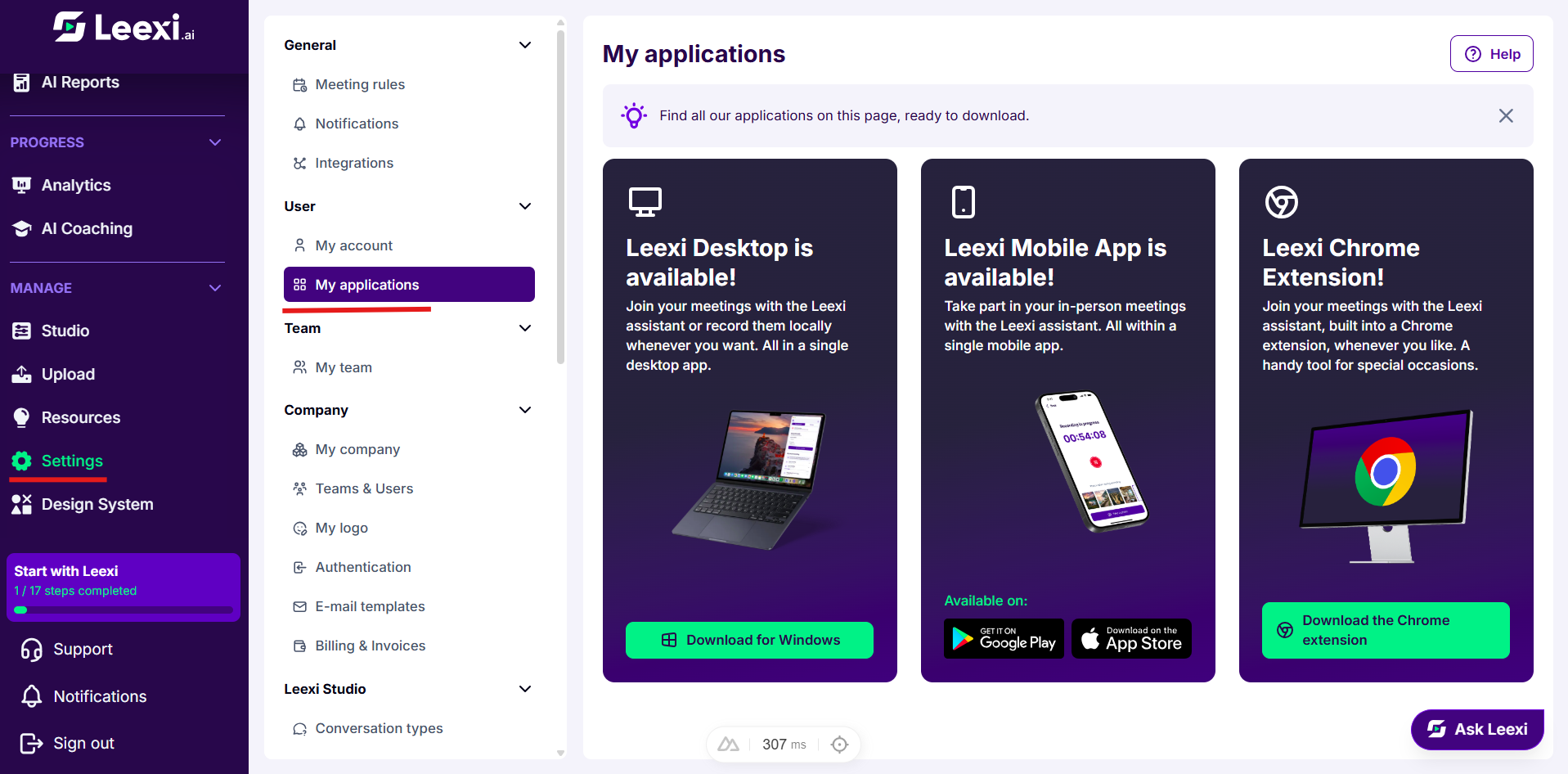
Open the page
Go to Settings > User > My applications.
Install the desktop app
The Leexi Desktop card lets you attend your meetings with the Leexi assistant or record them locally whenever you want.
The download button matches your operating system. When several formats are offered for your system, one button per format appears.
Install the mobile app
The mobile app card is for in-person meetings. The app store badges point to the iOS and Android versions.
If you view the page from a computer, the card simply lists the available platforms.
Install the browser extension
The browser extension card lets you bring the assistant into a meeting open in your browser, without going through the calendar. It adapts to the browser you are viewing the page from and offers the matching Chrome or Firefox version.
Check what the card offers
When an application is not yet open to your company, its card carries the Coming soon label and offers no download.
Going further
- All three applications use the same Leexi account: calls recorded from any of them appear in the same library.
- The extension and the desktop app cover unplanned meetings, where the assistant relies on your connected calendar.
- The same cards are available from the carousel on the home page.
Frequently asked questions
Things to watch out for
- Your company may require a consent confirmation before any recording started from the mobile or desktop app.
- It may also delete the recording from the device automatically once it has been uploaded to Leexi.