

Call page
Adding a prompt from the call page
Launch a custom summary or additional analysis directly from a call.
Definition: Custom prompts let you add new AI outputs to a call, for example a specialized summary, a business-oriented synthesis, or a more targeted extraction.
Feature video
No video is available at the moment.
Who is this for?
- Users who want to enrich a call with a tailored analysis.
- Business administrators who design and manage shared prompts.
Permissions and licenses
- Requires: AI Meeting
- Custom prompts are available starting from the AI Meeting plan.
- Using a prompt from the call page can be broadly available depending on your rights on the call.
- Creating and managing shared prompts is reserved for administrators authorized to manage prompts.
How to use it
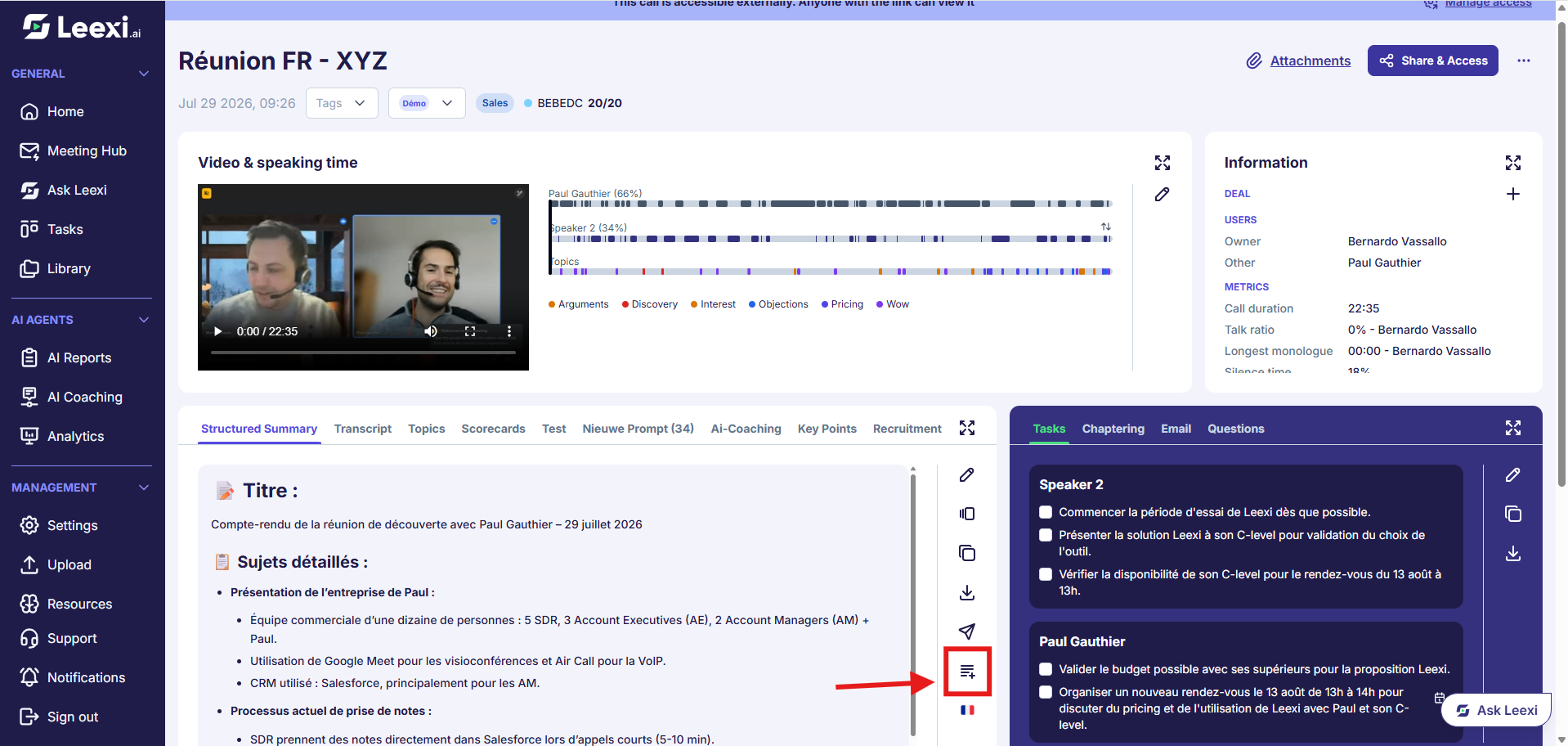
Open a relevant call
Choose the meeting for which you want to generate additional content.
Add an existing prompt
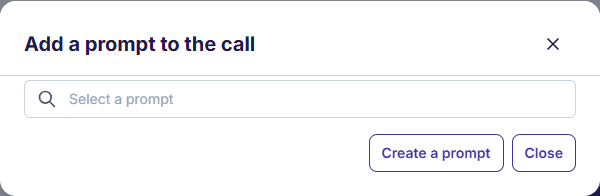
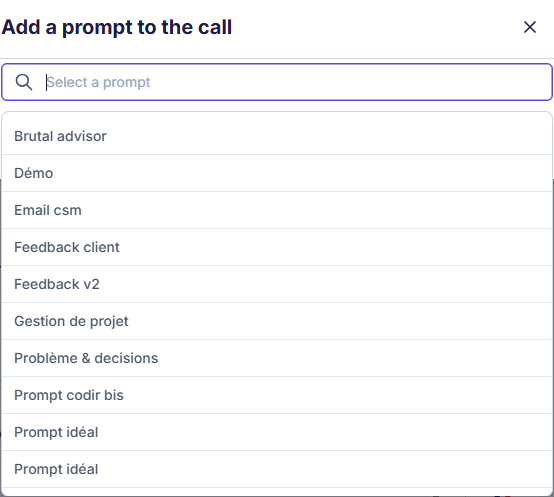
From the area dedicated to the summary/summaries on the call page, select the prompt to use or replace, then click "+ prompt".
You then have two options:
- Select a prompt that already exists in Leexi's database.
- Create a new prompt by clicking the "create a prompt" button.
Launch the processing
Wait for the result to be generated, then review the content produced.
Save the useful usage
If the need is recurring, have the prompt formalized in Settings > Leexi Studio > Summary templates.
Going further
- Prompts let you adapt Leexi to your business use cases without changing the main flow.
- The number of prompts per meeting type depends on your plan.
- Prompt results must be reviewed before external distribution or synchronization.
Frequently asked questions
Users authorized to manage prompts, such as certain business administrative profiles.
Yes, as long as you have access to the call and your plan includes custom prompts.
Things to watch out for
- A poorly framed prompt produces less reliable outputs.
- Always review the result before using it in a critical business process.