

Custom Summaries
Feature video
Who is this for?
- Teams that want specific business summaries.
- Administrators designing AI outputs shared across the organization.
Permissions and licenses
- Requires: AI Meeting
- Custom summaries are available from the AI Meeting plan.
- Their creation and management are reserved for Company managers, System admins and Super admins.
- The number of custom prompts per meeting type is limited depending on the plan: 2 on AI Meeting, 4 on Business, and 8 with the Leexi Coach add-on.
- Their use on a call then depends on your access to that call.
How to use it
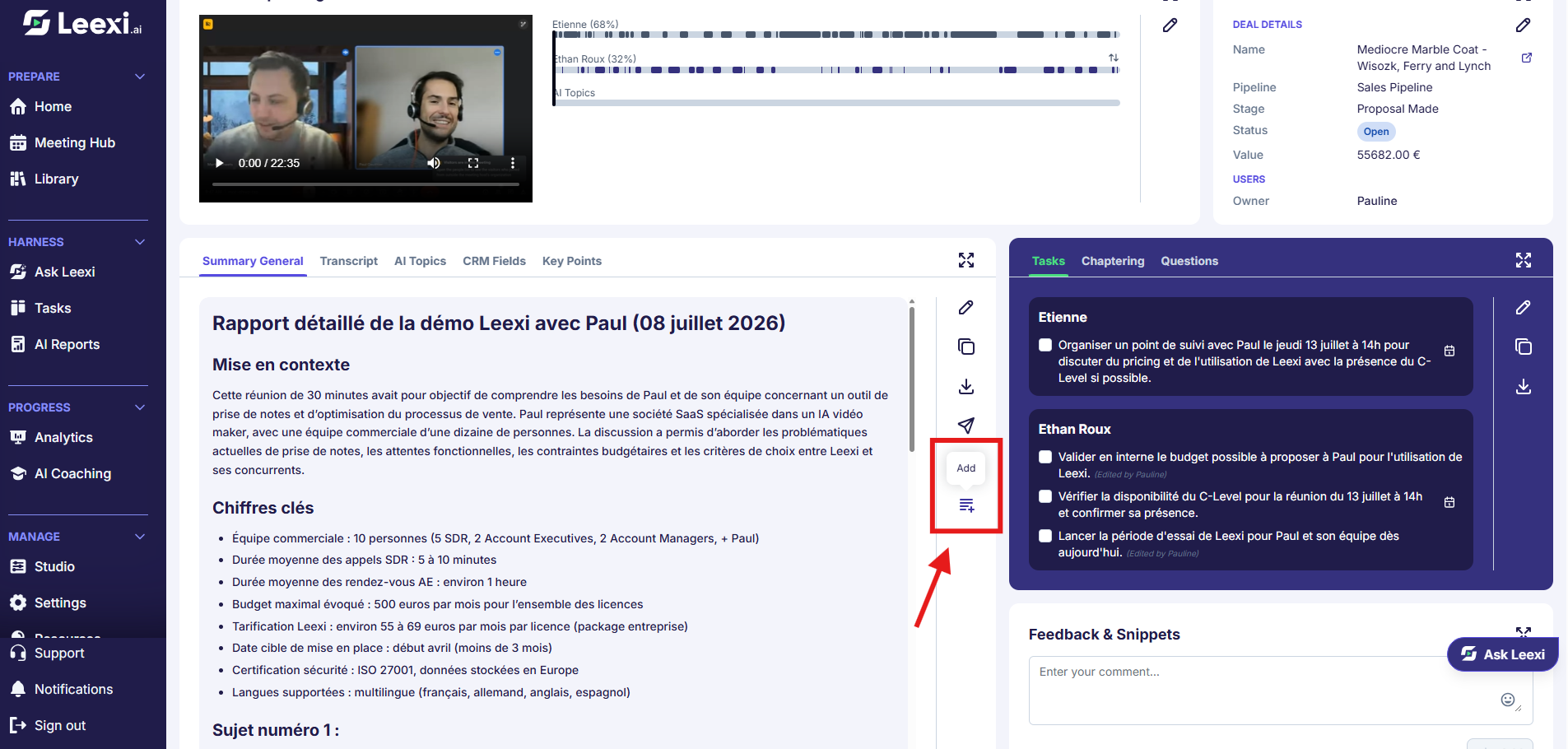
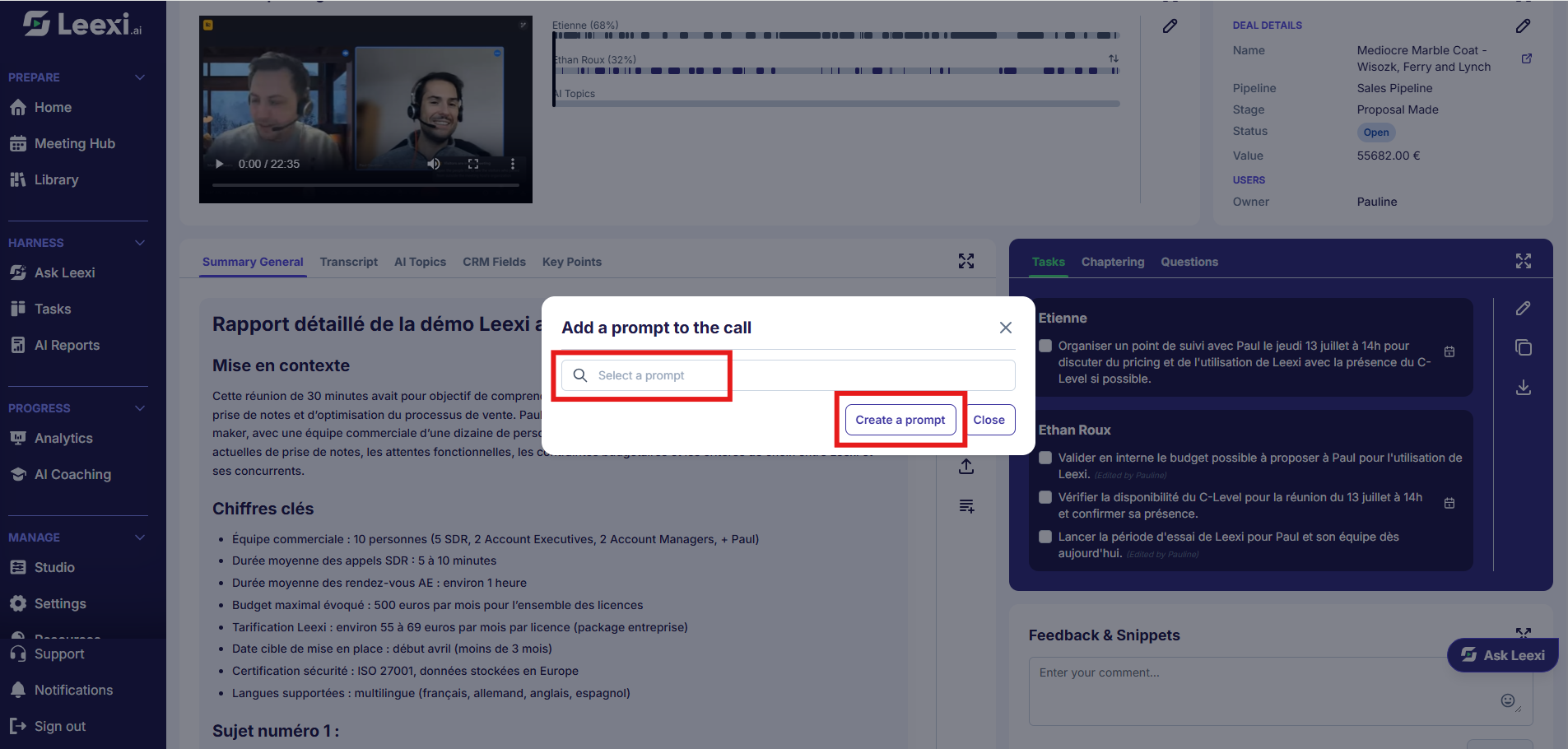
Design the right output format
Define what the summary should produce and for what concrete use.
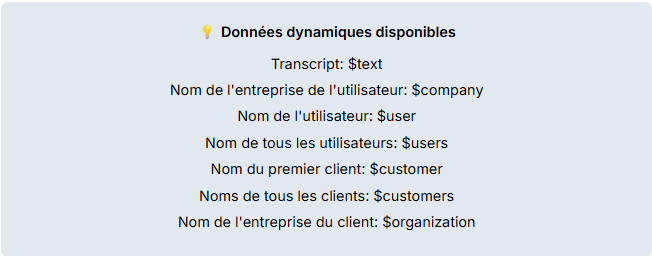
Create the prompt in settings
Go to Settings > Leexi Studio > Summary templates, then click "Add".
Fill in the fields: title, type (secondary summary recommended so as not to change the main summary), categories, description, meeting types, speakers (all, user or contact), notification (ATS, CRM, Email or Note), pre prompt and prompt.
The prompt can use the dynamic data listed under the field. Remember to translate your prompt for each language by clicking the "Translate" button.
The Active and Recommended boxes control the template's activity and visibility.
The page groups templates by category, with the All, Recommended, Active and Inactive tabs, and offers filters to find them more easily by category, team and notification.
Run the summary on a call
From the call page, apply the prompt and review the result.
Iterate after testing
Adjust the prompt based on initial feedback to improve relevance.
Going further
- Custom summaries are most useful when they address a recurring business need.
- They combine naturally with meeting types and AI context.
- Carefully reviewing initial results helps quickly improve quality.
- Summaries can be received by email, in the CRM, or via Slack if the corresponding integrations are active.
- For organizations with complex needs, Leexi support can help create fully custom prompts (Business plan). The process involves providing a sample structure and an example of the desired result.
- Generated summaries are available in text format only.
Frequently asked questions
Things to watch out for
- A prompt that's too complex becomes hard to maintain.
- Review outputs before external distribution or downstream automation.
- Remember to review prompts as your processes evolve.
- Prompts are subject to AI limitations (hallucinations, unpredictability).
- Only Company Managers and Super Admins have access to the prompt library and its management.