

Storage
Feature video
Who is this for?
- Administrators responsible for compliance and data governance.
- Companies that need to align Leexi with an internal retention policy.
Permissions and licenses
- Requires: Governance
- Page restricted to people allowed to change company settings.
- Requires the Governance add-on, which can be enabled on any plan; without it, the period lists are visible but greyed out.
- The maximum period available depends on your plan.
How to use it
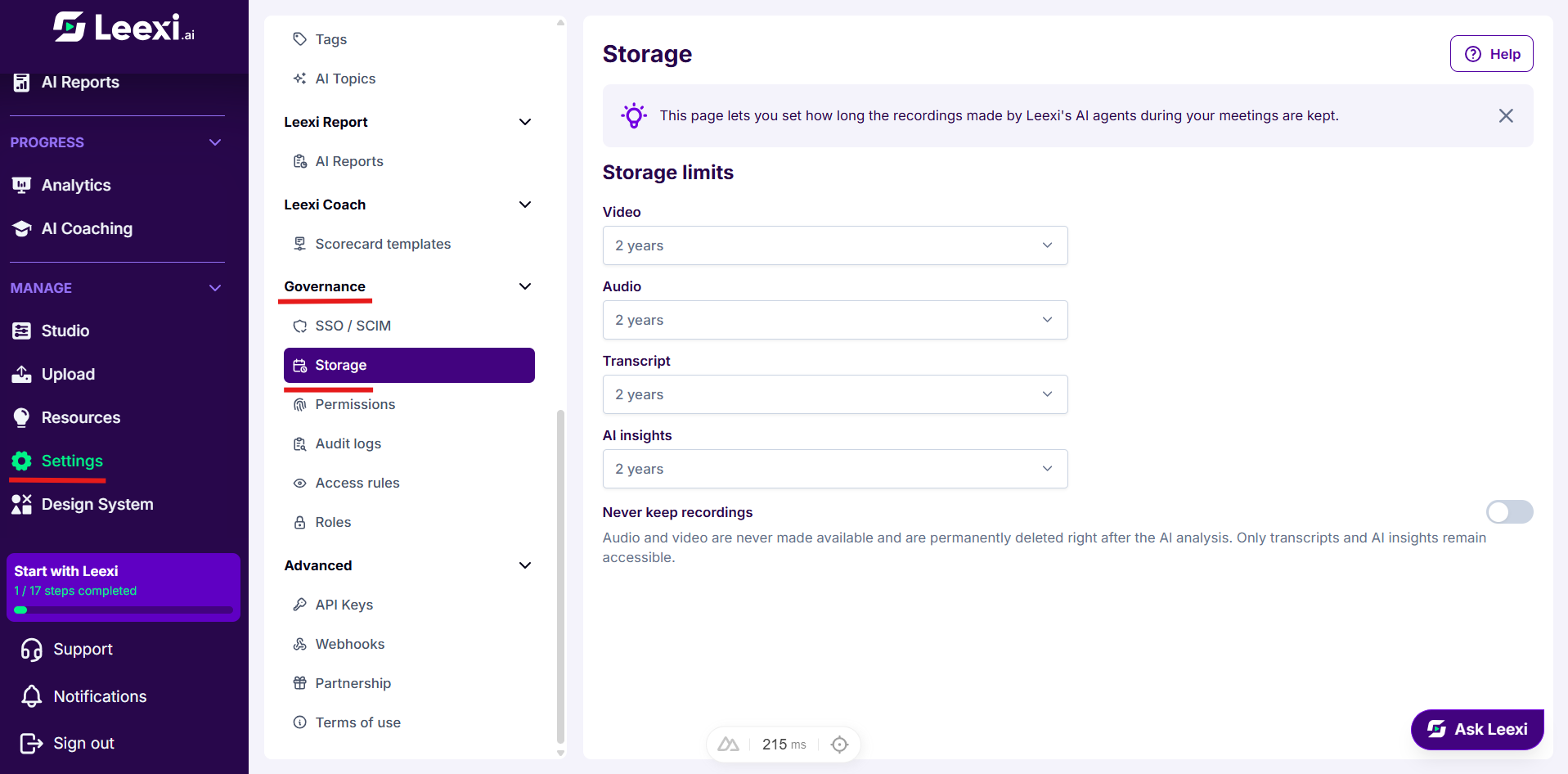
Open the page
Go to Settings > Governance > Storage.
Choose a period per data type
The Storage limits block offers one list per data type: Video, Audio, Transcript and AI insights. Choose a period in each list; the selection is saved immediately.
The lists only offer the periods compatible with your other choices: derived data cannot be kept for less time than its source. If a choice contradicts this rule, Leexi automatically realigns the period concerned.
Options and impact of each setting: see References › Settings › Storage.
Enable the no-recording-retention mode
Enable Never keep recordings so that audio and video are permanently deleted as soon as the AI analysis is complete, for every existing and future meeting. An explicit confirmation is requested: the action is irreversible.
Choosing Do not keep for both video and audio amounts to the same result: Leexi then offers to enable this mode directly.
Going further
- A short period on video and audio reduces data exposure without depriving you of the transcript or the summaries.
- Deletion is carried out by a daily job, so data may survive a few hours beyond the chosen period.
- The periods apply to the whole company: there is no per-team or per-user retention.
Frequently asked questions
Things to watch out for
- Shortening a period also applies to calls already recorded: data beyond the new limit is deleted at the job's next run.
- The no-recording-retention mode immediately deletes the existing recordings of the whole company.
- With no audio or video kept, it becomes impossible to listen to a passage again or to regenerate a summary from the recording.