

Settings
Authentication
Enforce two-factor authentication and set the company's password policy.
Definition: The Authentication page covers how the members of your company prove their identity: two-factor authentication and the level of complexity required for local account passwords.
Feature video
No video is available at this time.
Who is this for?
- Administrators responsible for the account access policy.
- IT and security teams who need to align Leexi with their internal requirements.
Permissions and licenses
- Page restricted to people allowed to change company settings.
- The settings apply to the whole company, with no exception per team or per user.
How to use it
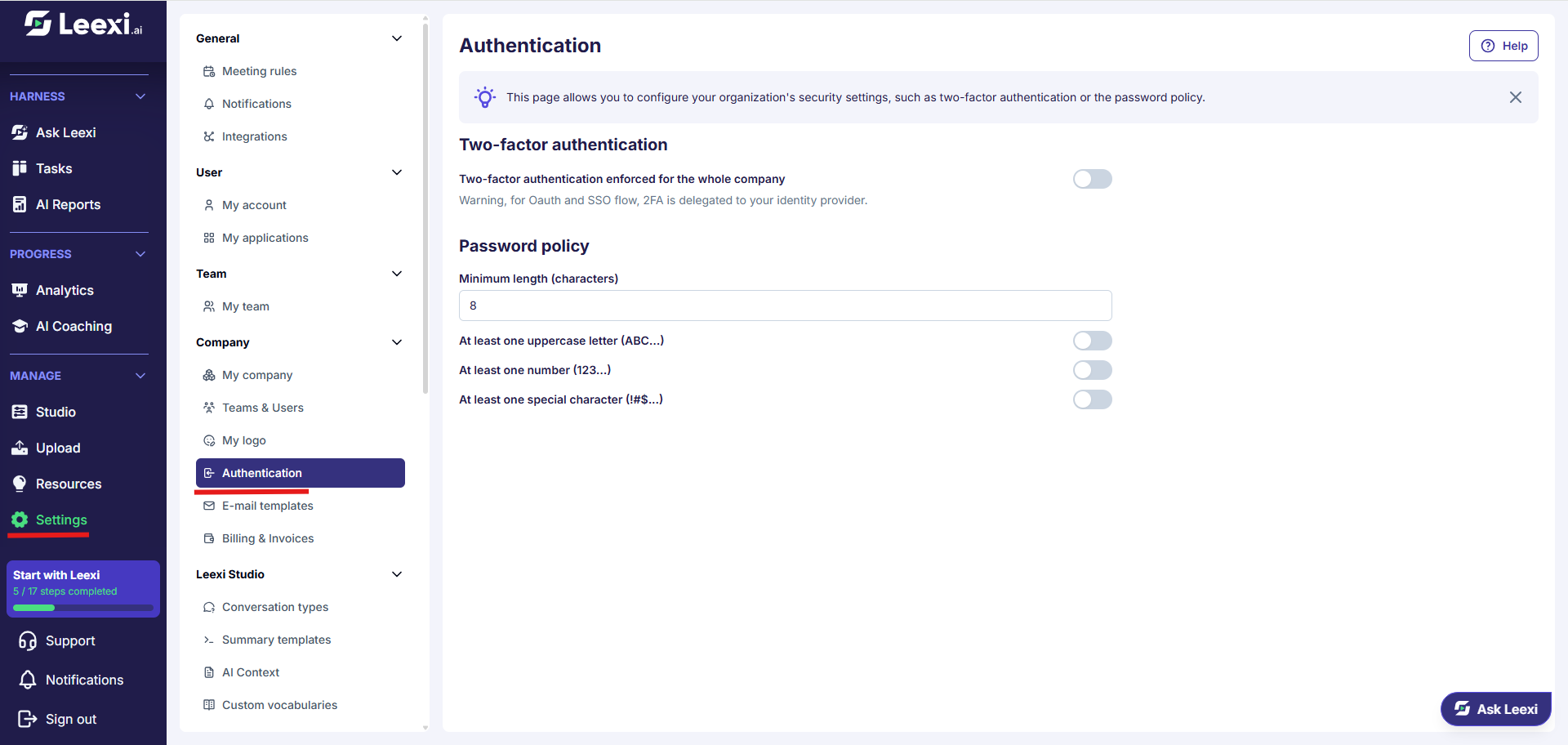
Open the page
Go to Settings > Company > Authentication.
Enforce two-factor authentication
Enable Two-factor authentication enforced for the whole company and confirm. Each member will have to set up their authenticator app at their next password login.
For Google, Microsoft and SSO logins, the second factor is delegated to your identity provider: that is where it must be enforced. If SSO login is already enforced, the switch is greyed out.
Set the password policy
Fill in the minimum length and enable the character requirements you want. Each field is saved as soon as it is changed and applies to the next passwords created or renewed.
Options and impact of each setting: see References › Settings › Authentication.
Complete with the neighbouring pages
Authentication only covers login. To go further:
- SSO / SCIM to delegate login and provisioning to your identity provider.
- Permissions to frame what members can change themselves.
- Roles and Access rules to frame what each person sees once logged in.
Going further
- Enforcing SSO makes the local password policy irrelevant for the accounts concerned.
- Two-factor authentication protects login, not call visibility: that is what access rules are for.
- A stricter password policy applies at the next password change; it does not force an immediate reset.
Frequently asked questions
Yes, from the same page. Members who had already enabled their second factor keep it as long as they do not disable it themselves from My account.
No. For OAuth and SSO, the second factor is handled by your identity provider.
These settings were part of the former Security page, now split into Authentication, SSO / SCIM, Storage and Permissions.
Things to watch out for
- Warn your members before enforcing two-factor authentication: they are blocked at login until they have set it up.
- A very high minimum length combined with every character requirement multiplies reset requests.
- Check that your administrators have a working second factor before enforcing it for everyone.