

Roles
Feature video
Who is this for?
- Administrators who assign rights.
- Managers who want to understand the capabilities granted to their team.
Permissions and licenses
- Viewing roles is reserved for administrators.
- The available roles are: Basic member (base role), Member, Billing manager, Team manager, Company manager, User admin, System admin and Super admin.
- A user can hold multiple roles.
- Available on every plan for the Basic member and Super admin roles; the other roles require the Governance add-on.
Use cases
- Basic member (base role): view calls (as authorized by access rules), analytics and dashboards, manage their own libraries and alerts.
- Member: same as basic member, plus the ability to delete and edit their calls, and share them.
- Billing manager: manage billing.
- Team manager: view calls (authorized), manage the team's calls (edit, delete, change access), the team's libraries, scorecards, tags and AI Topics. Receive team reports.
- Company manager: view calls (authorized), manage authorized calls, alerts, libraries, scorecards, tags, teams and AI Topics. Receive team reports.
- User admin: create teams, users and update user settings.
- System admin: manage access rules, alerts, API keys, custom assistants, company settings, conversation types, CRM fields, custom vocabularies, e-mail templates, integrations, libraries, scorecards, tags and AI Topics. No access to calls, billing, or user management.
- Super admin: full access to manage all the company account's settings.
How to use it
Identify the actual need
Separate the needs for reading, team management, configuration and billing.
Choose the right role
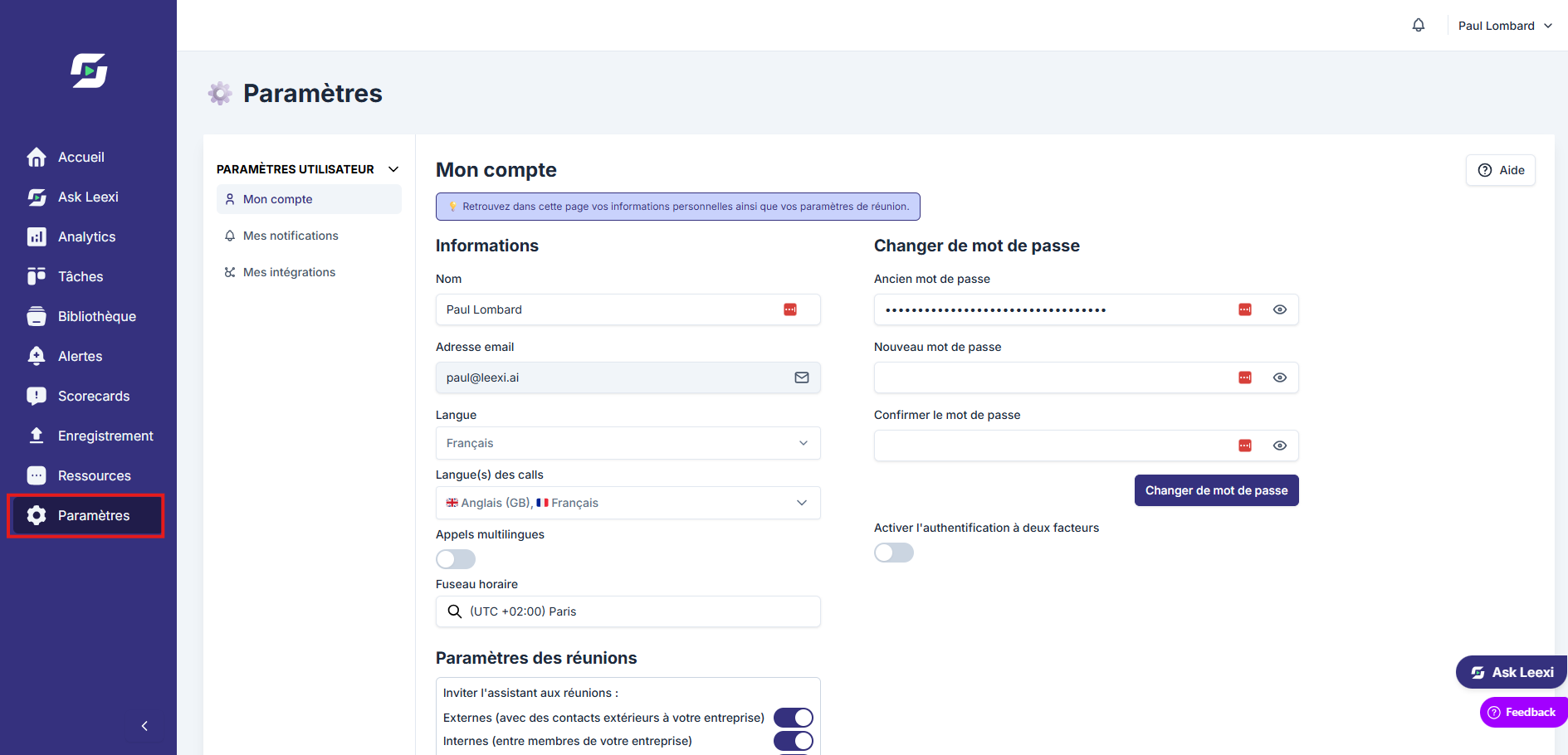
Assign the most limited role that covers the need, then supplement with an additional role if necessary.
Basic member (base role): access to personal settings only. Can view calls authorized by access rules but cannot delete or edit them.
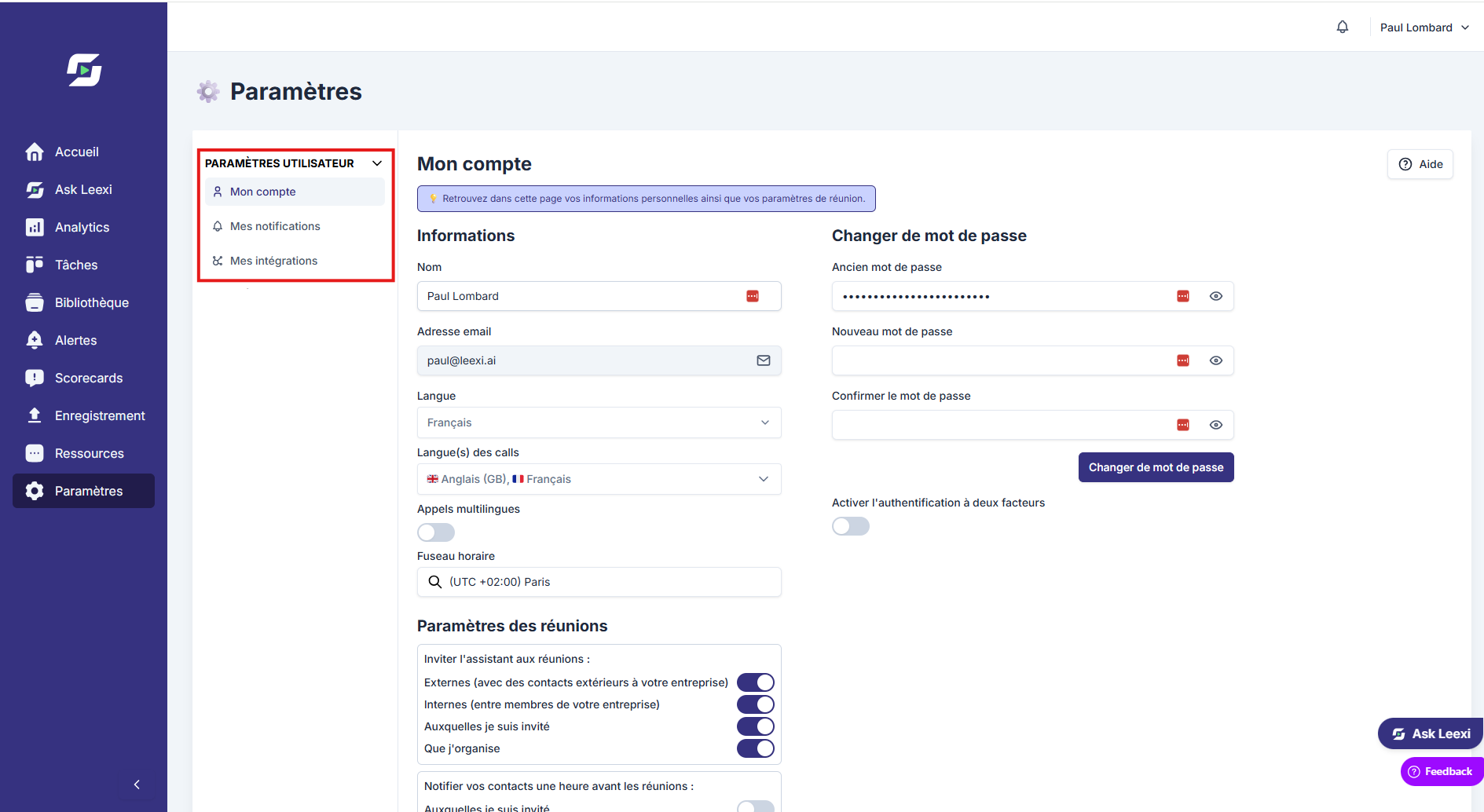
Member: same rights as the basic member, plus the ability to delete, edit and share their own calls.
Billing manager: access to personal settings (My account, Notifications, Integrations) and to Billing & Invoices.
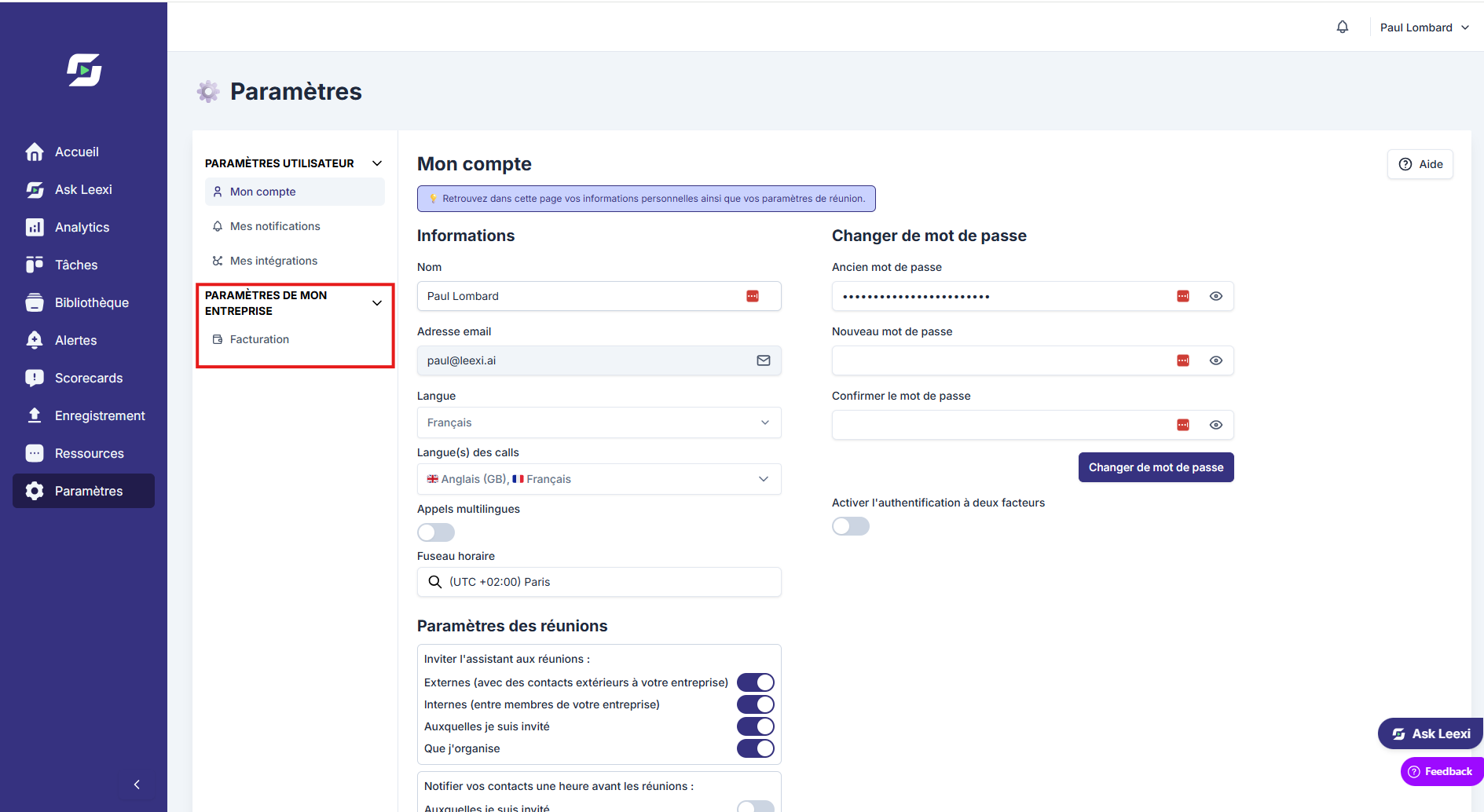
Team manager: additional access to team settings (My team). Can manage the team's authorized calls, libraries, scorecards, tags and AI Topics. Receives team reports.
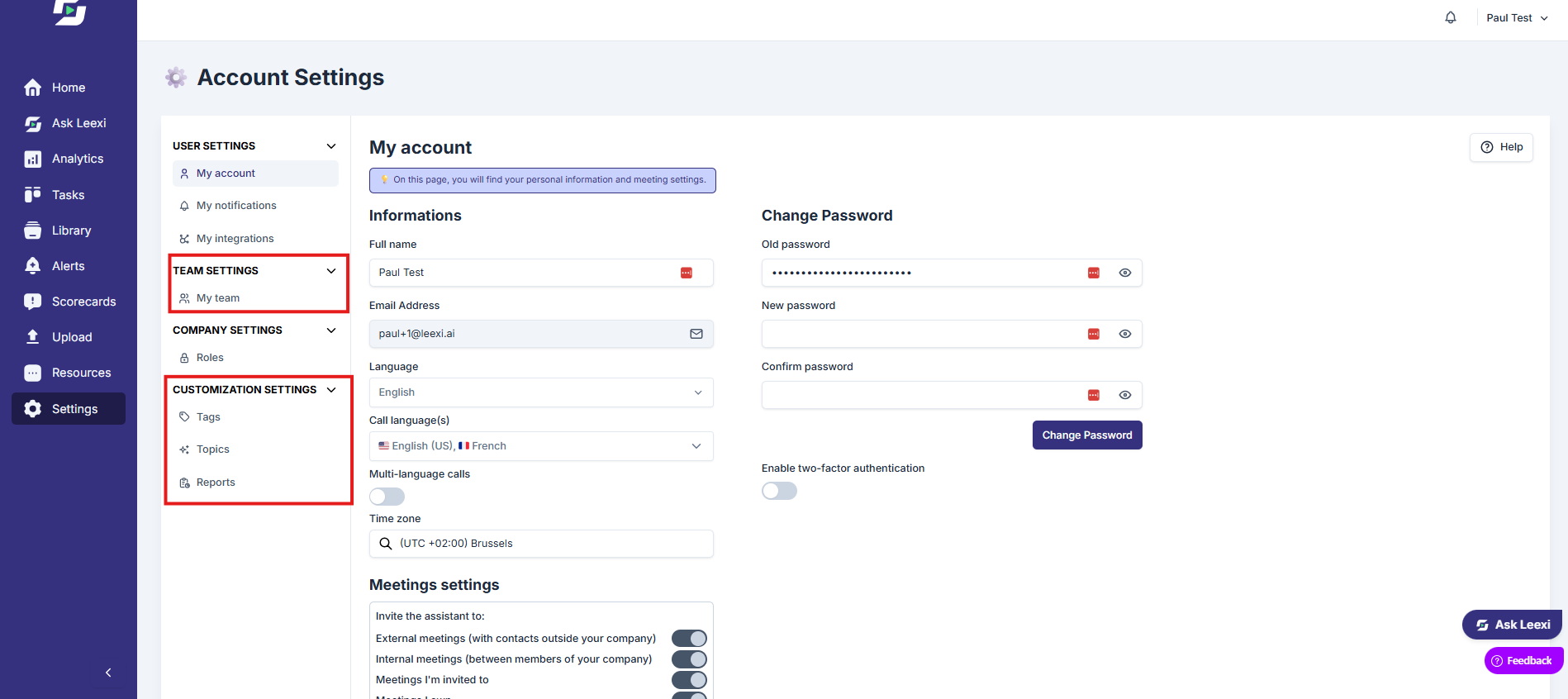
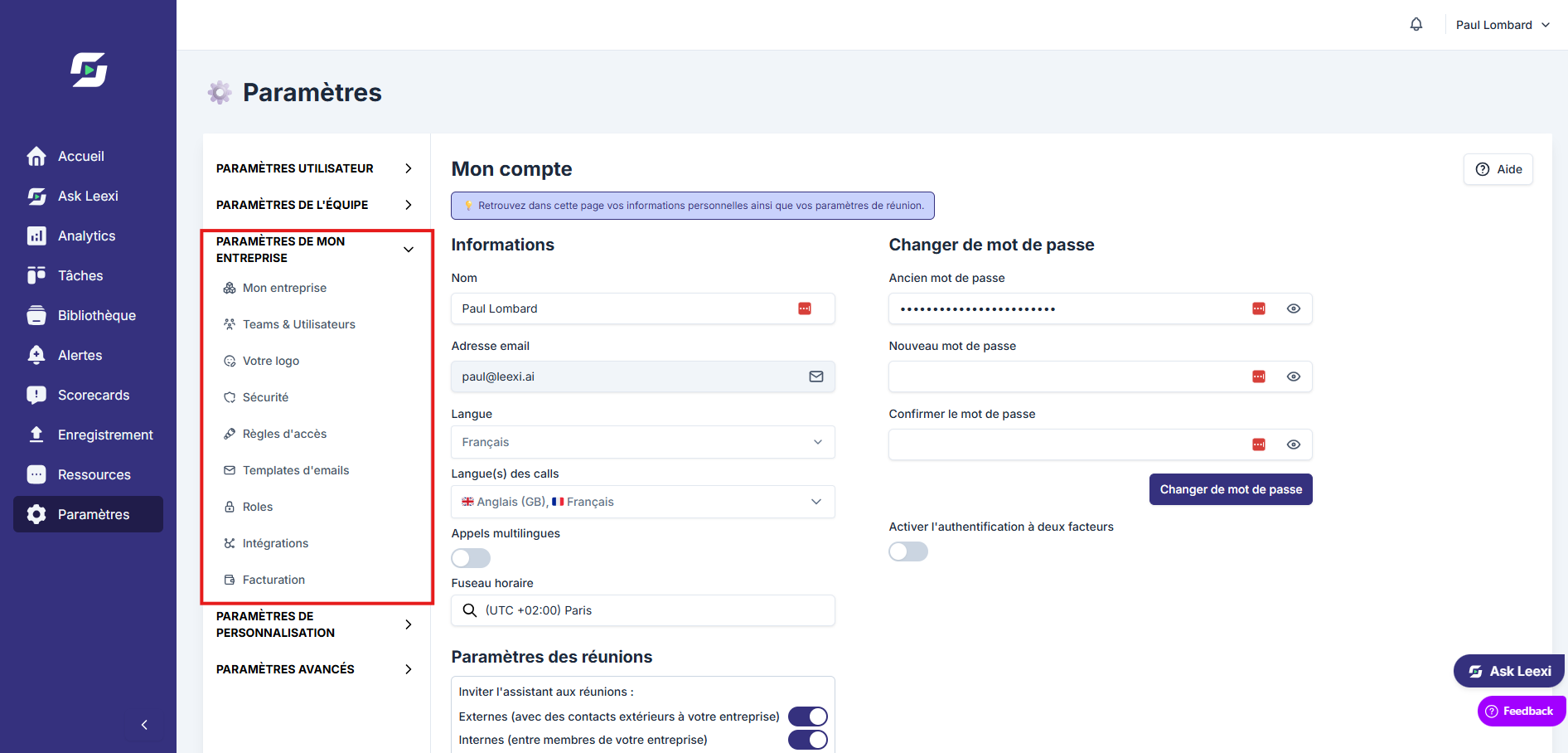
Company manager: access to company settings (Teams & Users, E-mail templates, Roles) and to the Leexi Studio, Leexi Report and Leexi Coach settings (Summary templates, Conversation types, AI Context, Custom vocabularies, Tags, AI Topics, AI Reports, Scorecard templates, Autofill CRM). Can view and manage authorized calls, libraries, dashboards, tags, teams and AI Topics.
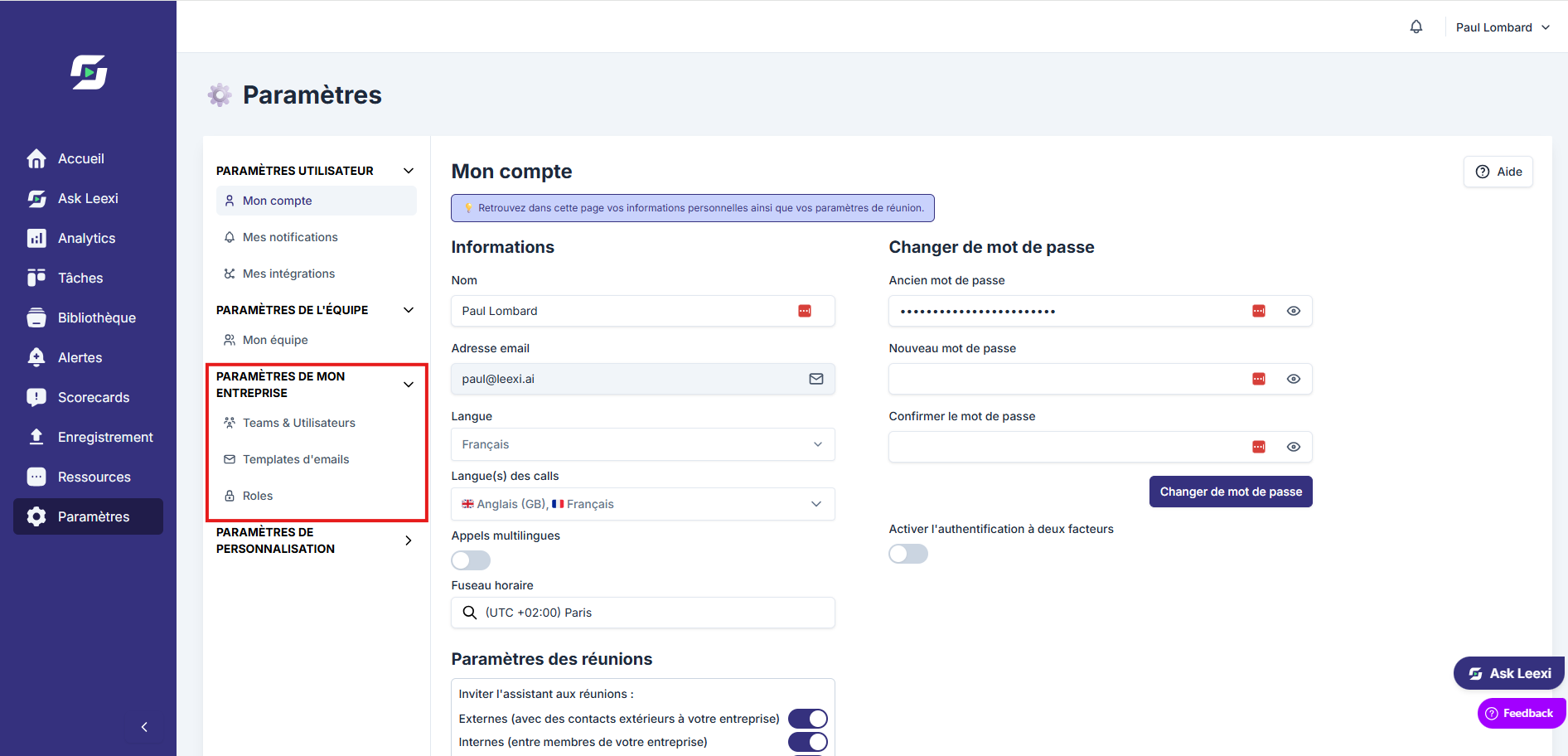
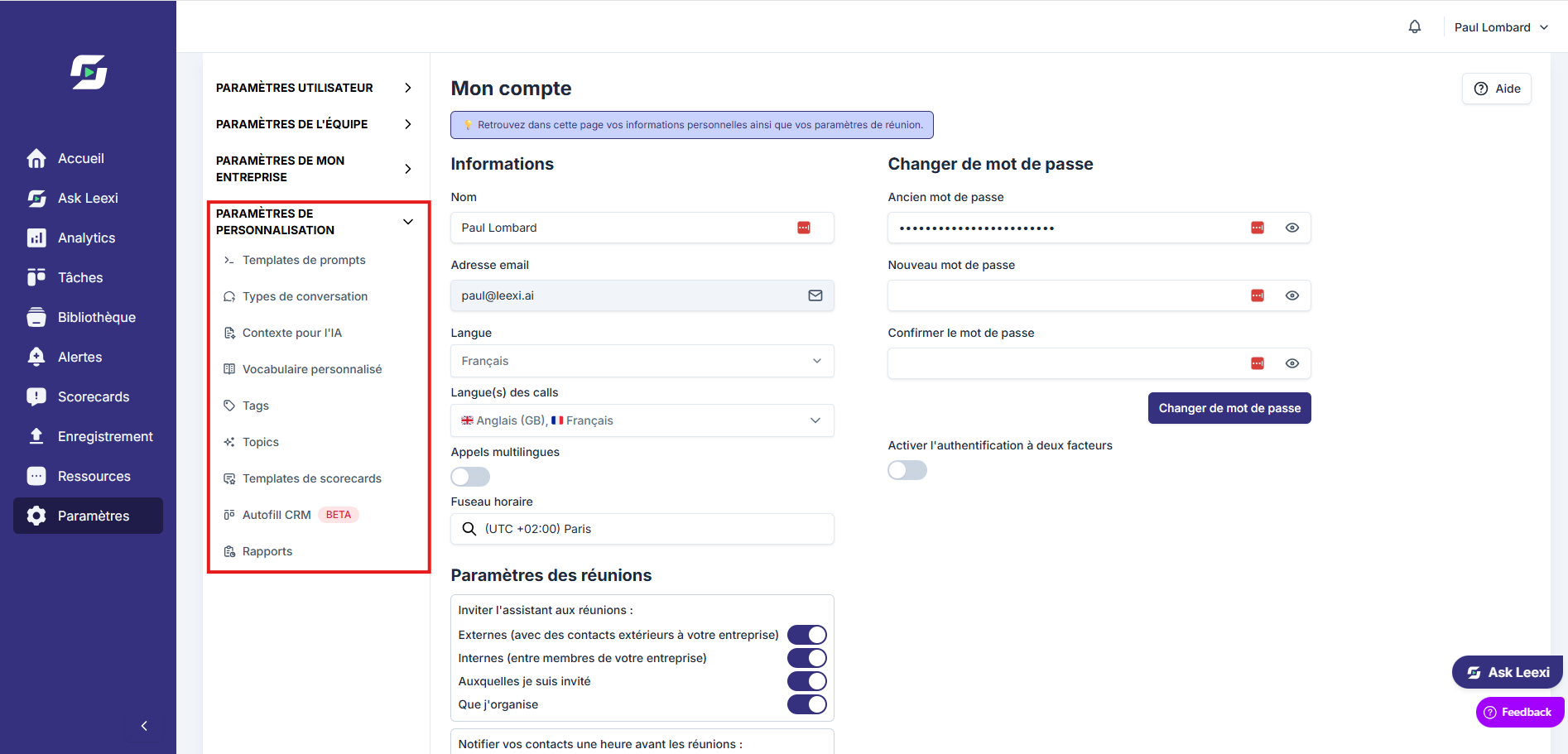
User admin: access to company settings — Teams & Users, Roles. Can create teams, users and update user settings.
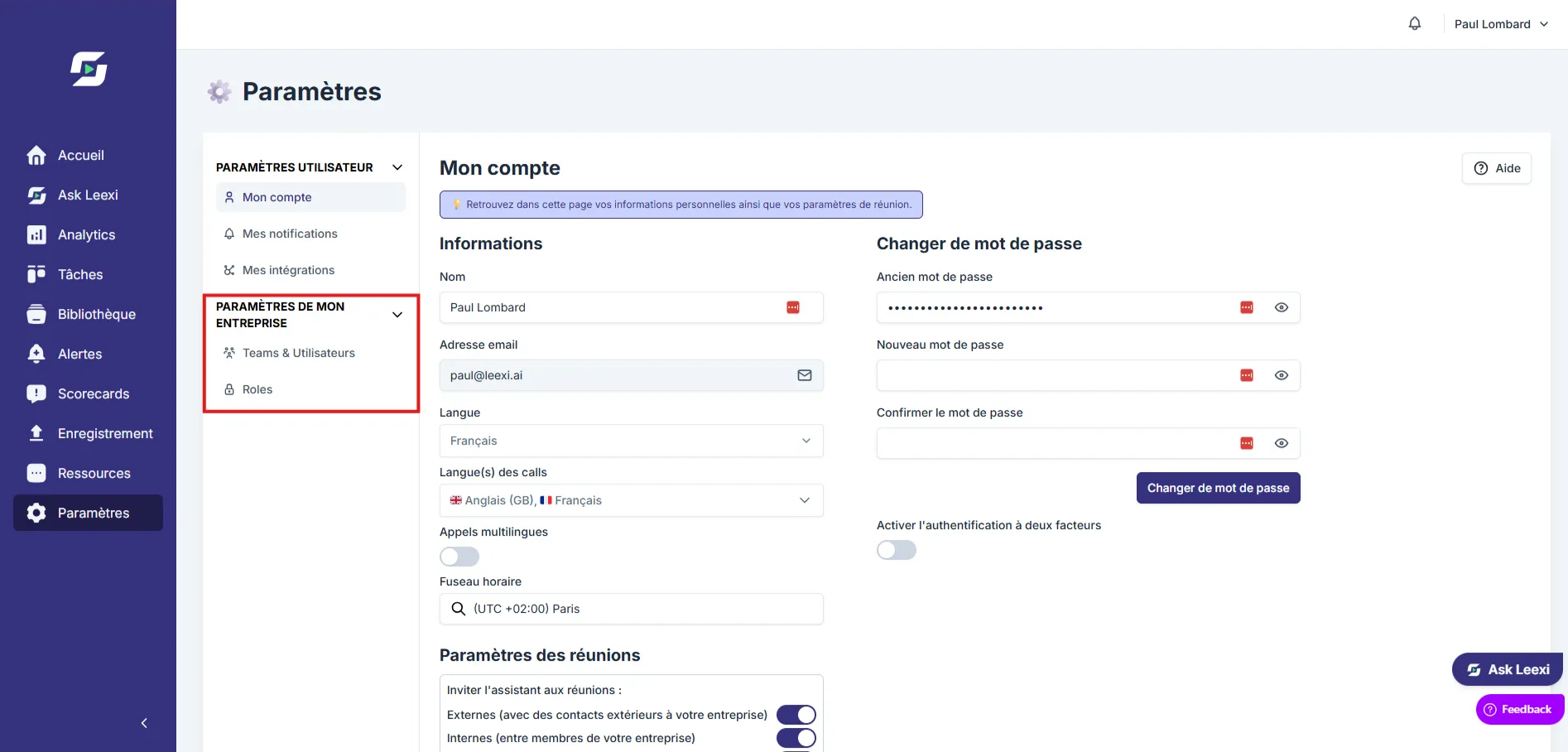
System admin: access to company settings (My company, My logo, E-mail templates, Roles, Integrations), to the Governance settings (Authentication, SSO / SCIM, Storage, Permissions, Audit logs, Access rules) and to the Advanced settings (API Keys, Webhooks, Partnership, Terms of use). Can manage access rules, alerts, API keys, logo, global settings, SSO and integrations. Cannot view calls, manage billing, or create/manage users.
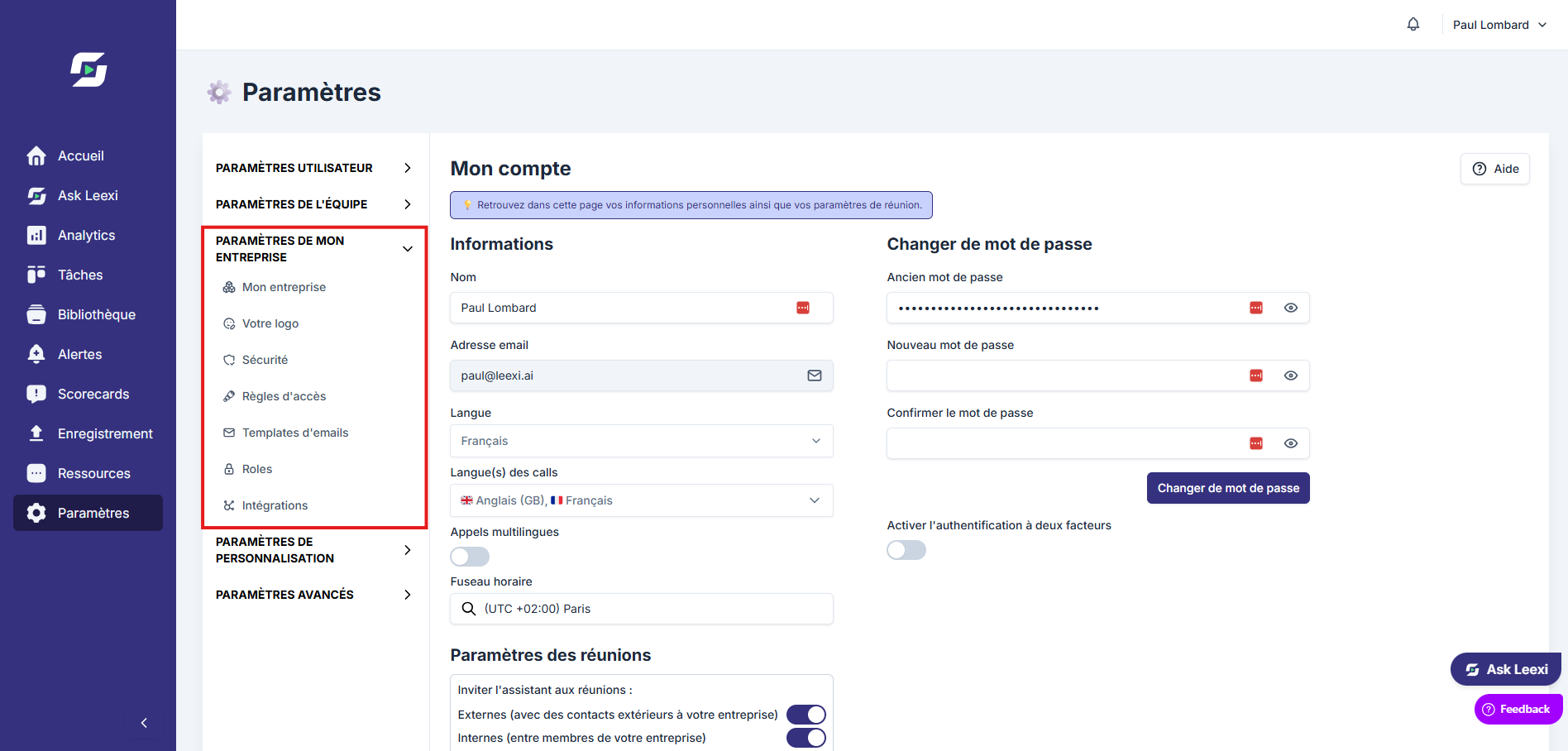
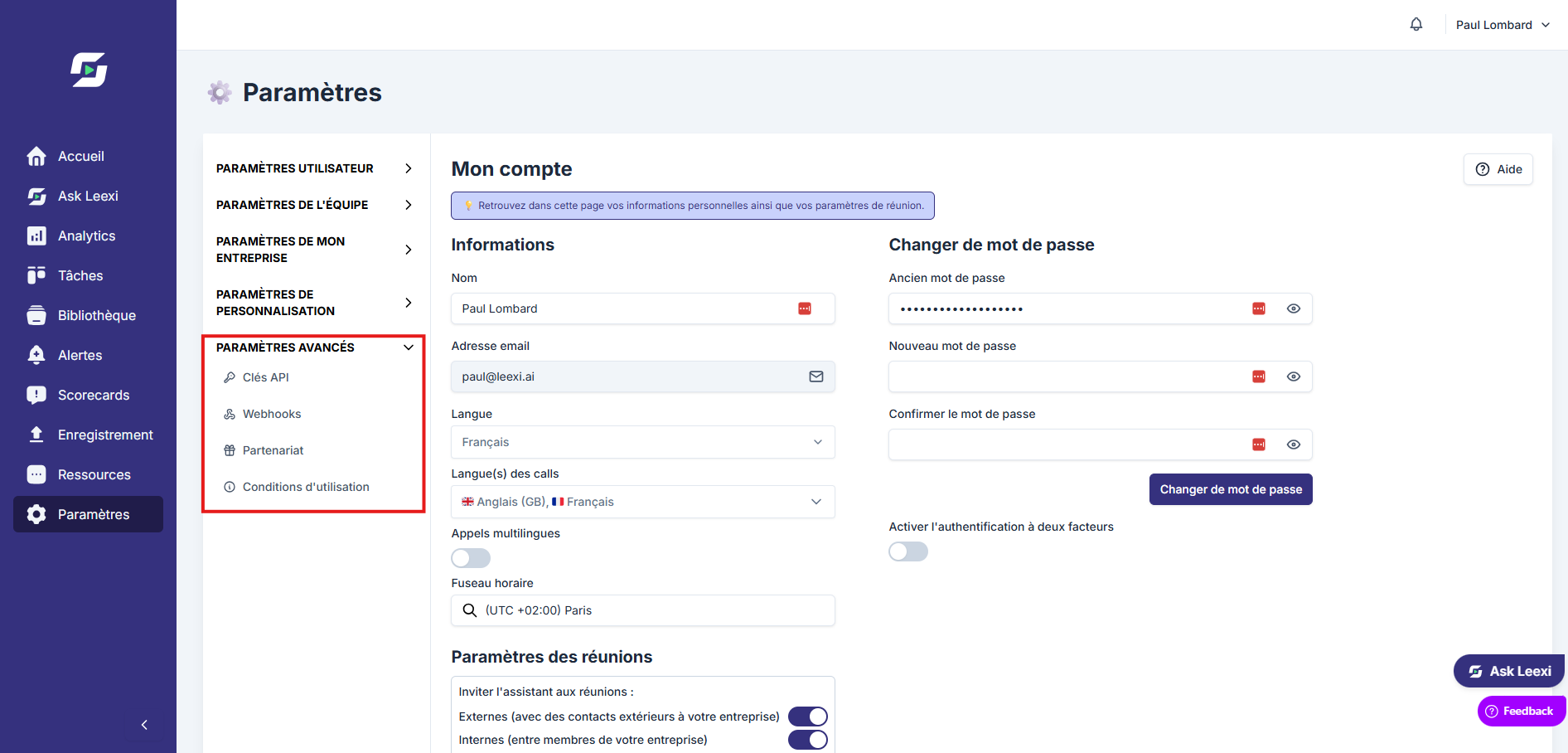
Super admin: full access — My company, Teams & Users, Roles, Integrations, My logo, Billing & Invoices and the Governance settings.
Check critical permissions
Check sensitive access rights such as user management, integrations, roles, prompts or access rules.
Review regularly
Update roles as the organization changes to keep a clean access model.
Going further
- The User admin mainly covers team and user management.
- The Company manager and Team manager cover a lot of operational actions on business content and settings.
- The System admin opens up cross-cutting capabilities on certain technical and security settings.
Frequently asked questions
Things to watch out for
- A role that's too broad increases the risk of error or scope leakage.
- Combining several roles remains useful, but must stay readable and documented.
- Roles alone don't organize detailed visibility on calls: access rules matter too.