

Permissions
Feature video
Who is this for?
- Administrators who frame the room for manoeuvre left to members.
- Compliance teams who need to audit all active locks quickly.
Permissions and licenses
- Page restricted to people allowed to change company settings.
- The locks apply to the whole company: there is no exception per team.
- They do not replace roles: they limit what a member can change, not what they can see.
How to use it
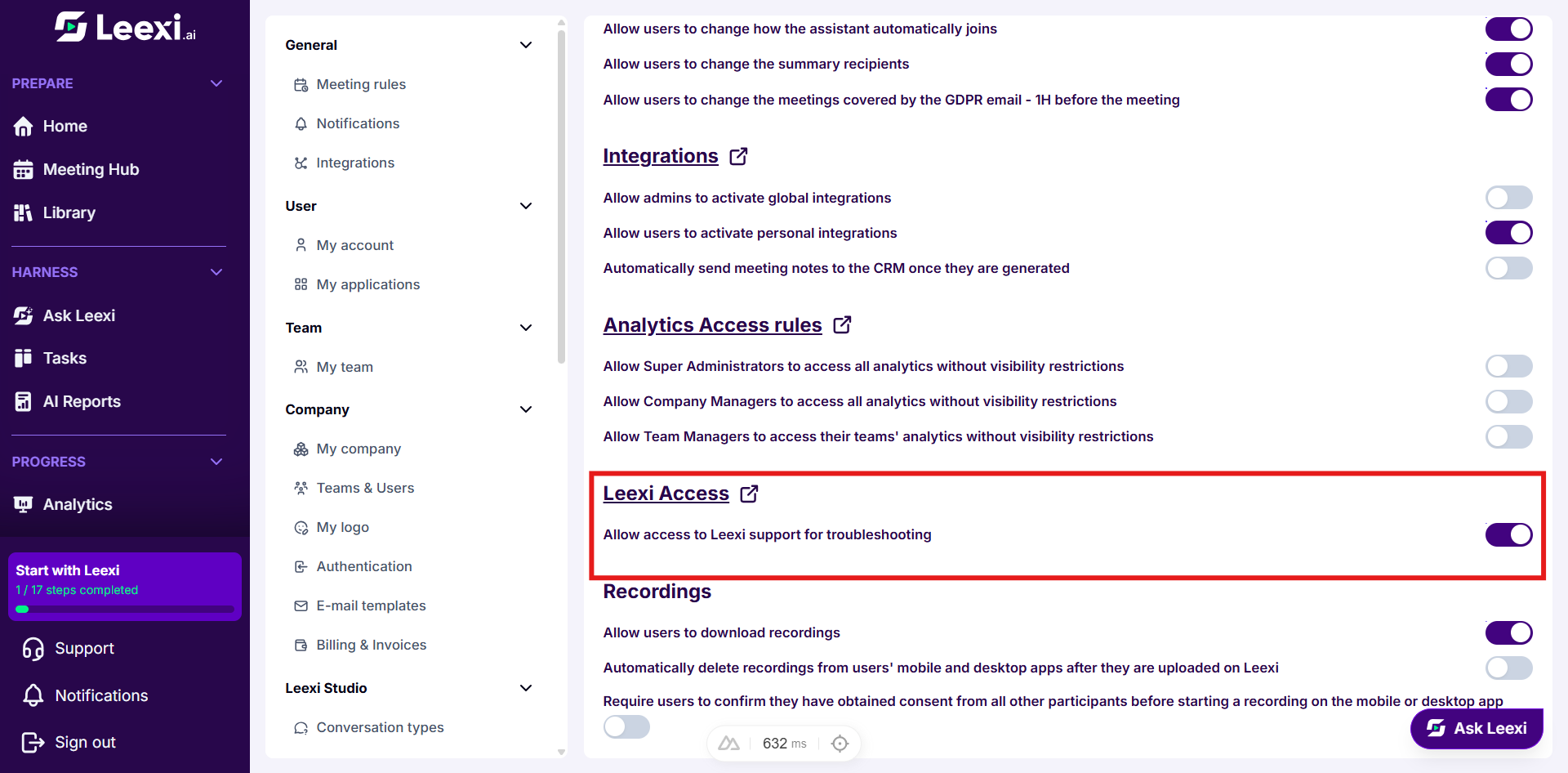
Open the page
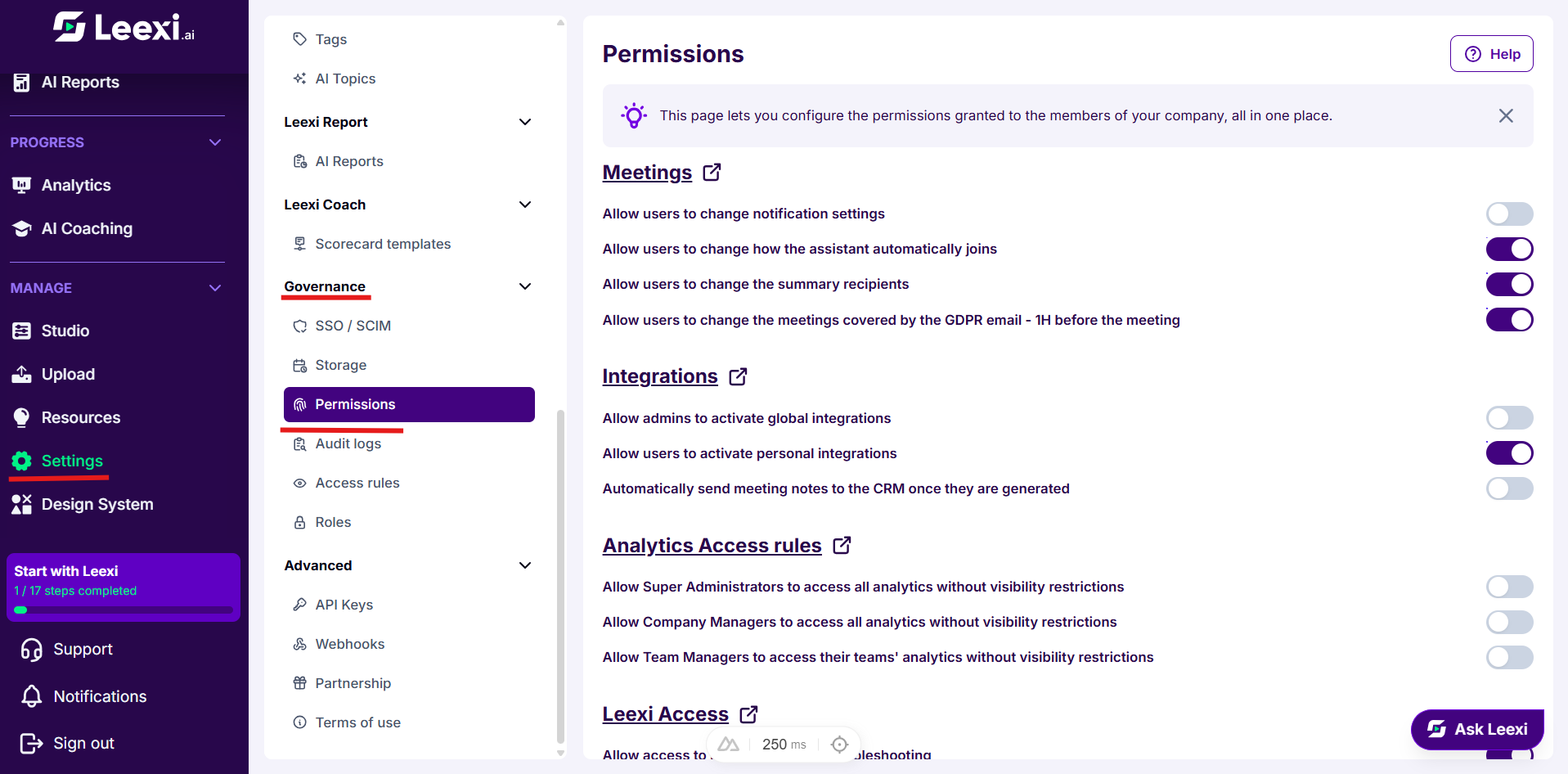
Go to Settings > Governance > Permissions.
Each section title links to the page where the same setting appears in context: use it to check the effect of a lock on the page concerned.
Frame the meetings settings
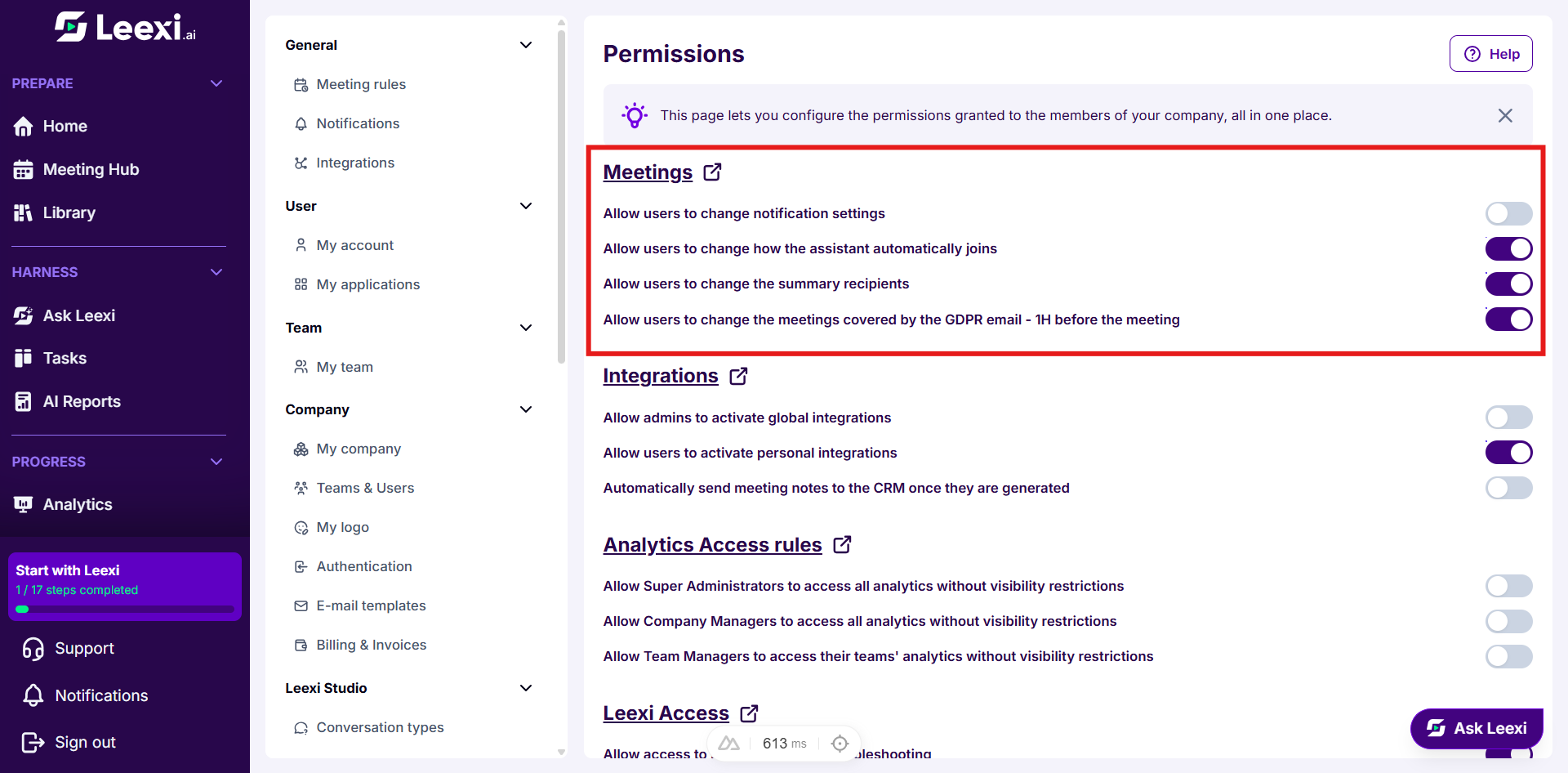
The Meetings section decides, block by block, whether members can change their own meeting rules:
- Allow users to change notification settings.
- Allow users to change how the assistant automatically joins.
- Allow users to change the summary recipients.
- Allow users to change the meetings covered by the GDPR email - 1H before the meeting.
When disabled, the setting stays visible on the Personal tab of the meeting rules, but greyed out.
Frame the integrations
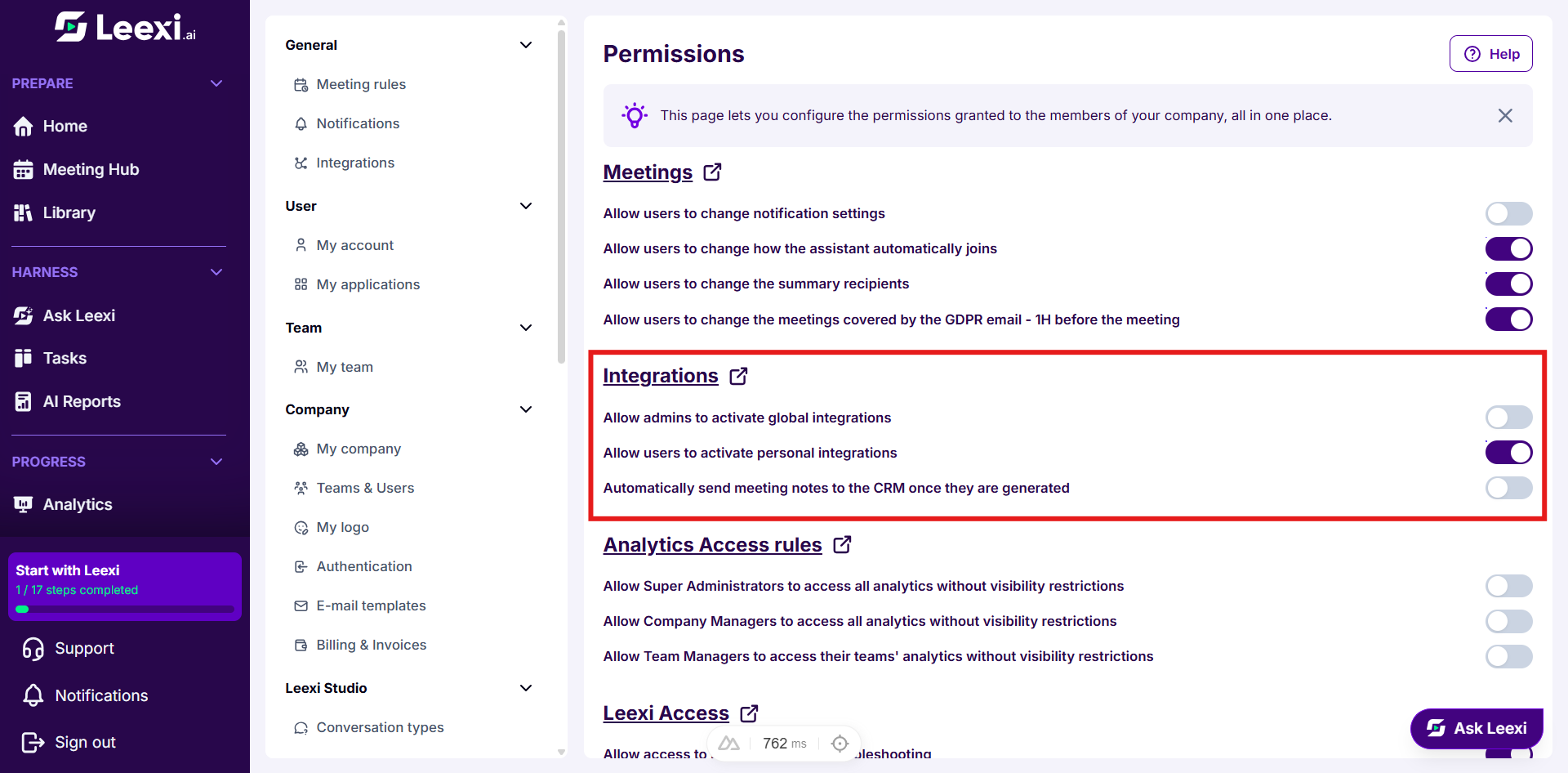
The Integrations section covers:
- Allow admins to activate global integrations.
- Allow users to activate personal integrations.
- Automatically send meeting notes to the CRM once they are generated.
Frame analytics access
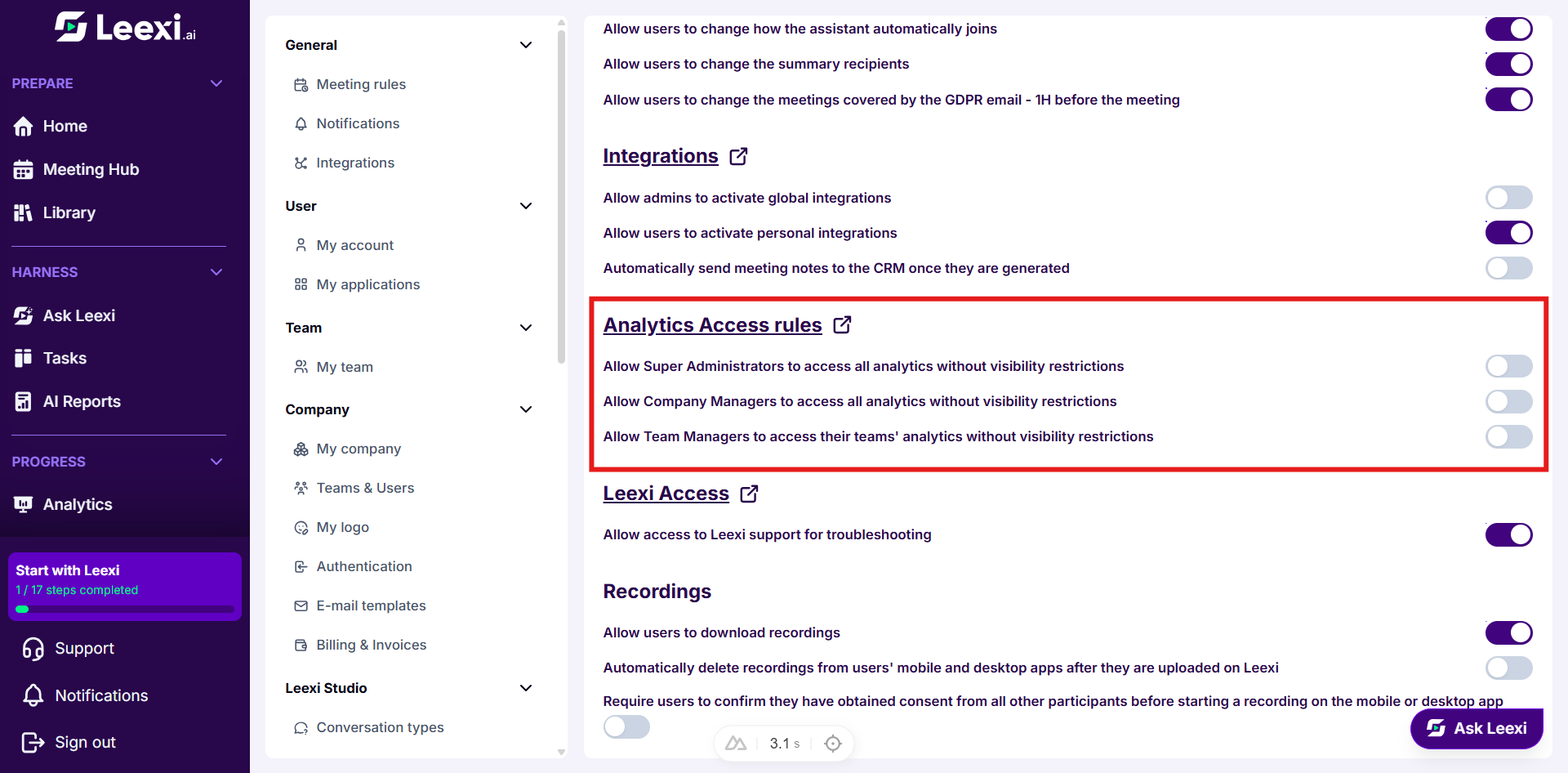
The Analytics Access rules section lifts visibility restrictions on analytics, role by role:
- Allow Super Administrators to access all analytics without visibility restrictions.
- Allow Company Managers to access all analytics without visibility restrictions.
- Allow Team Managers to access their teams' analytics without visibility restrictions.
Frame Leexi support access
The Leexi Access section contains a single switch: Allow access to Leexi support for troubleshooting. When disabled, Leexi teams can no longer enter your workspace to diagnose an incident.
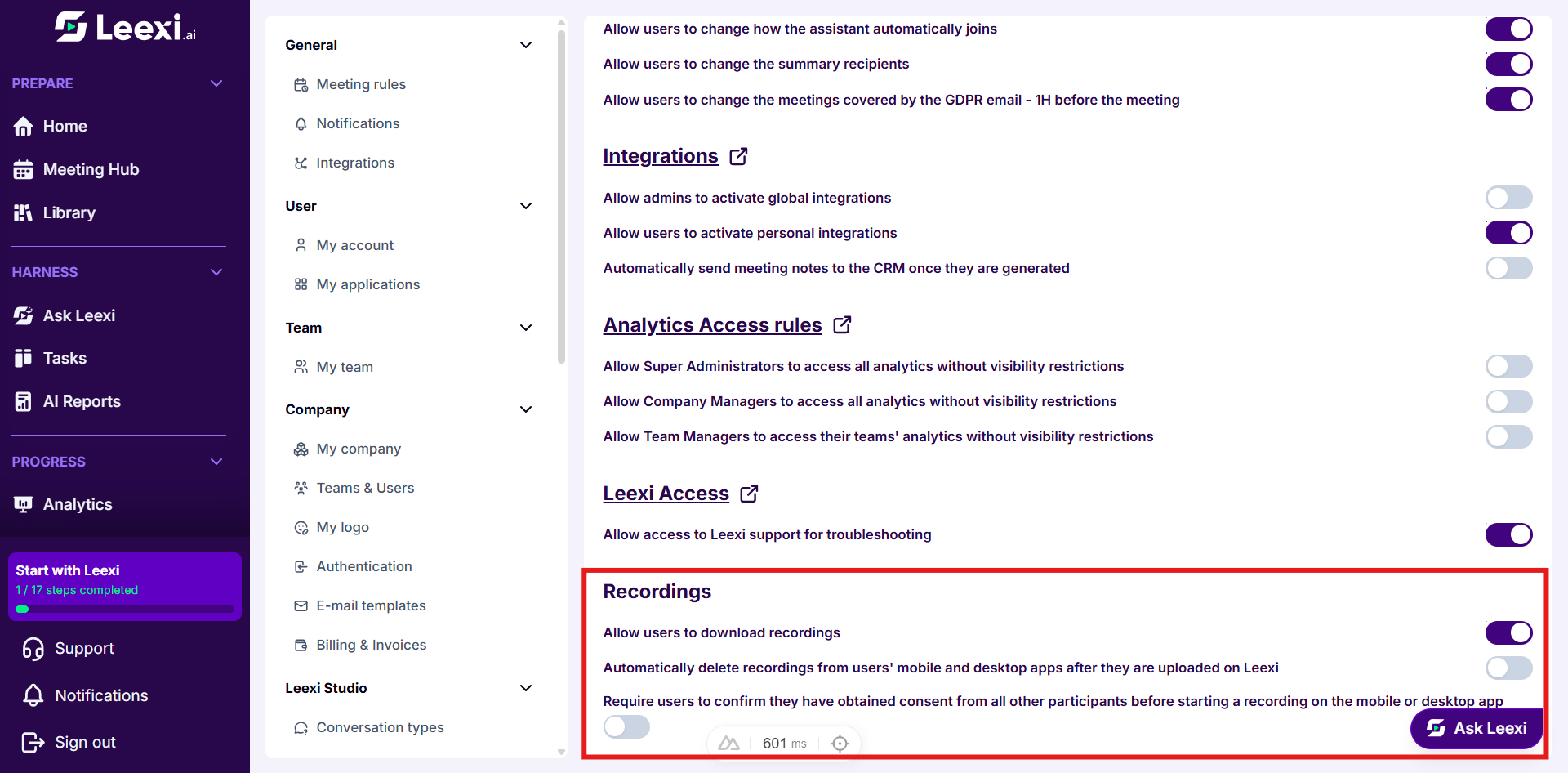
Frame the recordings
The Recordings section gathers three locks that only exist on this page:
- Allow users to download recordings.
- Automatically delete recordings from users' mobile and desktop apps after they are uploaded on Leexi.
- Require users to confirm they have obtained consent from all other participants before starting a recording on the mobile or desktop app.
Going further
- A disabled lock does not remove the value a member has already chosen: it only prevents them from changing it. To realign what exists, use the apply button on the meeting rules.
- Cutting off Leexi support access lengthens the handling of your requests: most diagnostics require entering the workspace.
- Permissions and roles complement each other: a role gives access to a page, a permission decides what is editable there.
Frequently asked questions
Things to watch out for
- Locking every meeting setting shifts every individual change request onto the administrators.
- Forbidding personal integrations also prevents members from connecting their own calendar: the assistant will then have no meetings to join.
- The automatic deletion of mobile and desktop recordings is permanent on the device.