

Getting Started
Mobile app
Record a meeting from your phone with the Leexi mobile app, then send it to your workspace.
Definition: The Leexi mobile app is a dictaphone that records your meeting from your phone. You then send the recording to Leexi, which creates a call page with the transcript of the conversation and generates its summary.
Who is this for?
- Users in face-to-face meetings who want to keep a recording or a summary of their meeting.
- Users who want to capture a conversation on the fly, without taking out their computer.
Permissions and licenses
- License required: AI Meeting or Business.
- All roles have access to the app.
How to use it
Install the app
The Leexi app is available on Android and on iOS.
Log in with your Leexi email address
Log in to the app with the same email address as the one used for your Leexi account on your computer.
Start recording
Record an in-person or remote meeting. Recording continues in the background and while the screen is locked, and you can pause it and then resume.
Start a recording in one tap
You can start a recording without opening the app or navigating through it: the shortcut opens Leexi and starts recording right away.
On iOS
- The Leexi widget, on the home screen or on the lock screen.
- The Leexi button, in the Control Center or on the lock screen (iOS 18 or later).
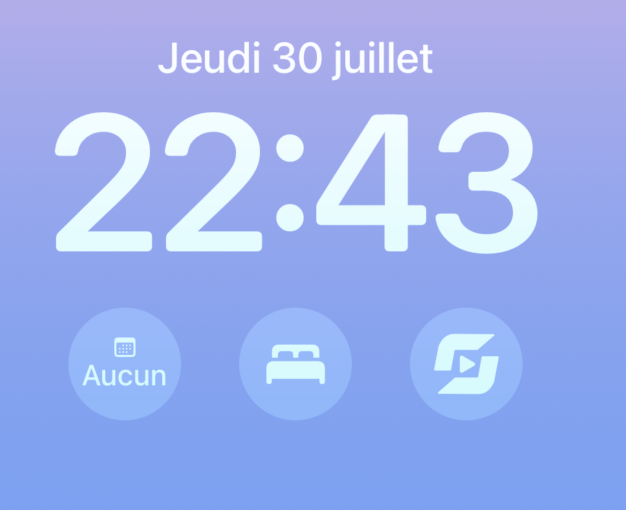
- The Action button, on iPhones that have one.
- Siri, by saying "Start recording in Leexi" (iOS 17 or later).
- Spotlight search and the Shortcuts app.
- A long press on the app icon.
On Android
- The Leexi widget, on the home screen.
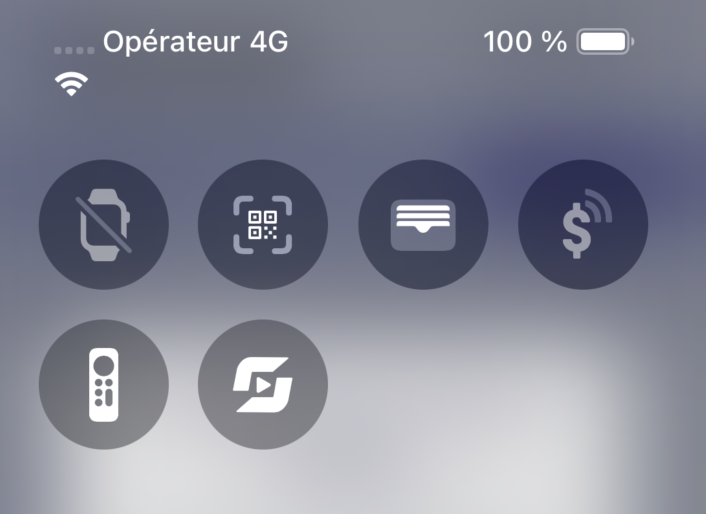
- The Leexi tile, in the Quick Settings, from the notification shade or the lock screen.
- A long press on the app icon.
Rename and send the recording
Rename the recording if needed, then send it to your Leexi workspace using the dedicated button.
Listen back to your recordings
The app keeps your previous recordings: you can listen to them again from your phone.
Going further
- Typical use cases: an in-person meeting, or a conversation you want to keep a record of — take out your phone and start recording in the app.
- Once the recording is sent, it follows the same path as an imported file: transcript, summary, and actions appear on the call page. See In-Person and Video Recordings.
Frequently asked questions
Yes. Recording continues in the background and while the screen is locked.
Yes, directly from the app.
Yes. The name can be changed in the app, before sending it to Leexi.
Yes. On iOS, from the widget, the Control Center, the lock screen, the Action button, Siri, Spotlight, or a long press on the app icon. On Android, from the widget, the Quick Settings tile, or a long press on the app icon.
Yes, but the phone has to be unlocked first: iOS asks for Face ID or your passcode, and Android asks you to unlock before the recording starts.
The app does not allow it, even on speakerphone. Use a VoIP integration instead: see Integrations.
Things to watch out for
- The app does not record video.
- Log in to the app with the same email address as the one used for your Leexi account on your computer.
- The app can only record one thing at a time: if you receive a phone call, the recording in progress stops.
- The app does not record a phone call, even on speakerphone.
- The one-tap recording shortcuts open the app: you have to be logged in already.
- The widget and the Quick Settings tile are not added automatically: it is up to you to place them on the home screen, in the Control Center, or in the Quick Settings.
- The app is automatically displayed in the language of the phone when that language is French, Dutch, English, or Spanish. Otherwise, it is displayed in English.