

VoIP
HubSpot VoIP
Import calls made and recorded from HubSpot into Leexi.
Who is this for?
- Administrators who manage company integrations.
Permissions and licenses
- Administrator rights required on your Leexi and HubSpot accounts.
- License required: depending on your plan, check availability in Settings > General > Integrations.
How to use it
Enable call recording in HubSpot
Follow HubSpot's instructions to enable call recording.
Note: you will need to manually start recording on each call.
Add the integration in Leexi
In your Leexi account, go to Settings → General → Integrations, click Add on the HubSpot-VoIP card, then approve the requested permissions.
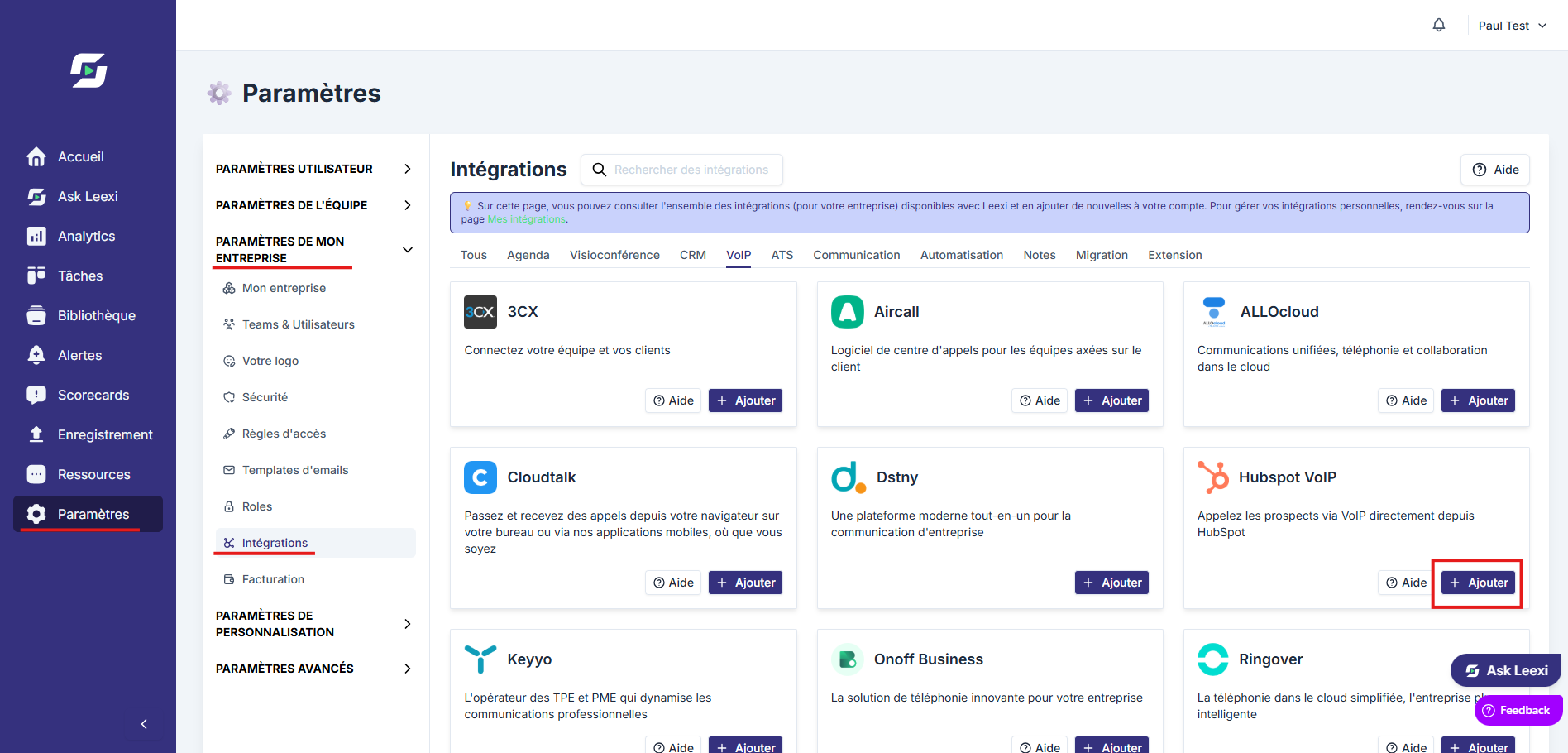
Your next recorded HubSpot calls will appear in Leexi!
Things to watch out for
- Recording does not start automatically: it must be started manually on each HubSpot call. Only recorded calls are imported into Leexi.