

Wonka Chat
Who is this for?
- For Wonka Chat users who want to query their Leexi calls and documentation from their conversations and AI agents.
Permissions and licenses
- A Wonka Chat workspace.
- An active Leexi account with at least one processed call.
How to use it
MCP server URL: https://api.leexi.ai/mcp
The Leexi MCP connector is already available in Wonka Chat, so you don't need to enter this URL manually.
Open your workspace's connectors
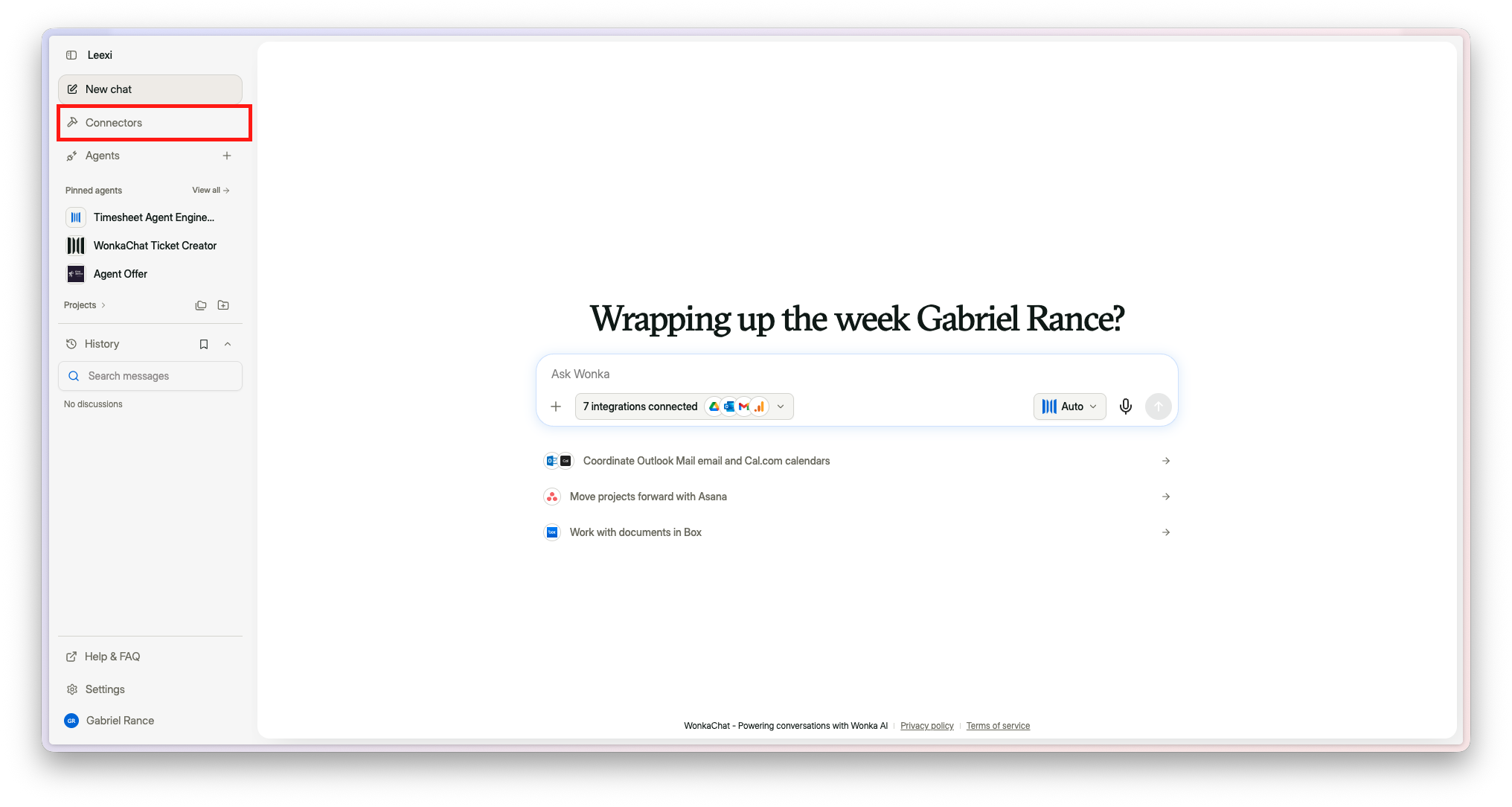
Open your Wonka Chat workspace, then select Connectors in the left sidebar.
Pick the Leexi MCP connector
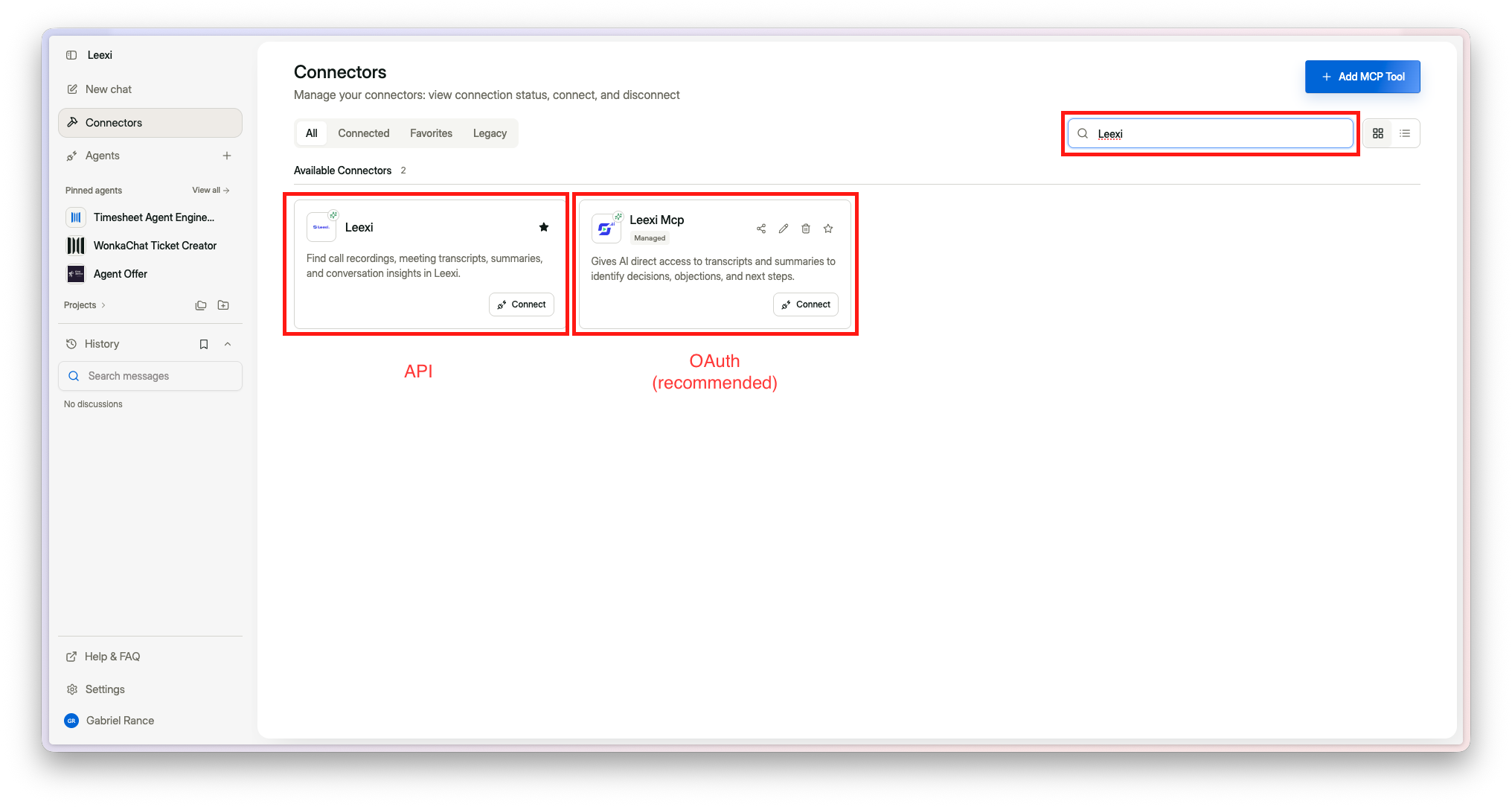
Search for Leexi in the search bar. Two Leexi connectors exist:
- Leexi MCP (recommended) — the managed connector, which uses the OAuth authentication described on this page.
- Leexi — the connector that goes through Leexi's public API.
Click Connect on the Leexi MCP card.
Authorize access
Sign in with your Leexi account and click Authorize. That's it — Leexi's tools are now available in your Wonka Chat conversations and agents.
Ask your questions
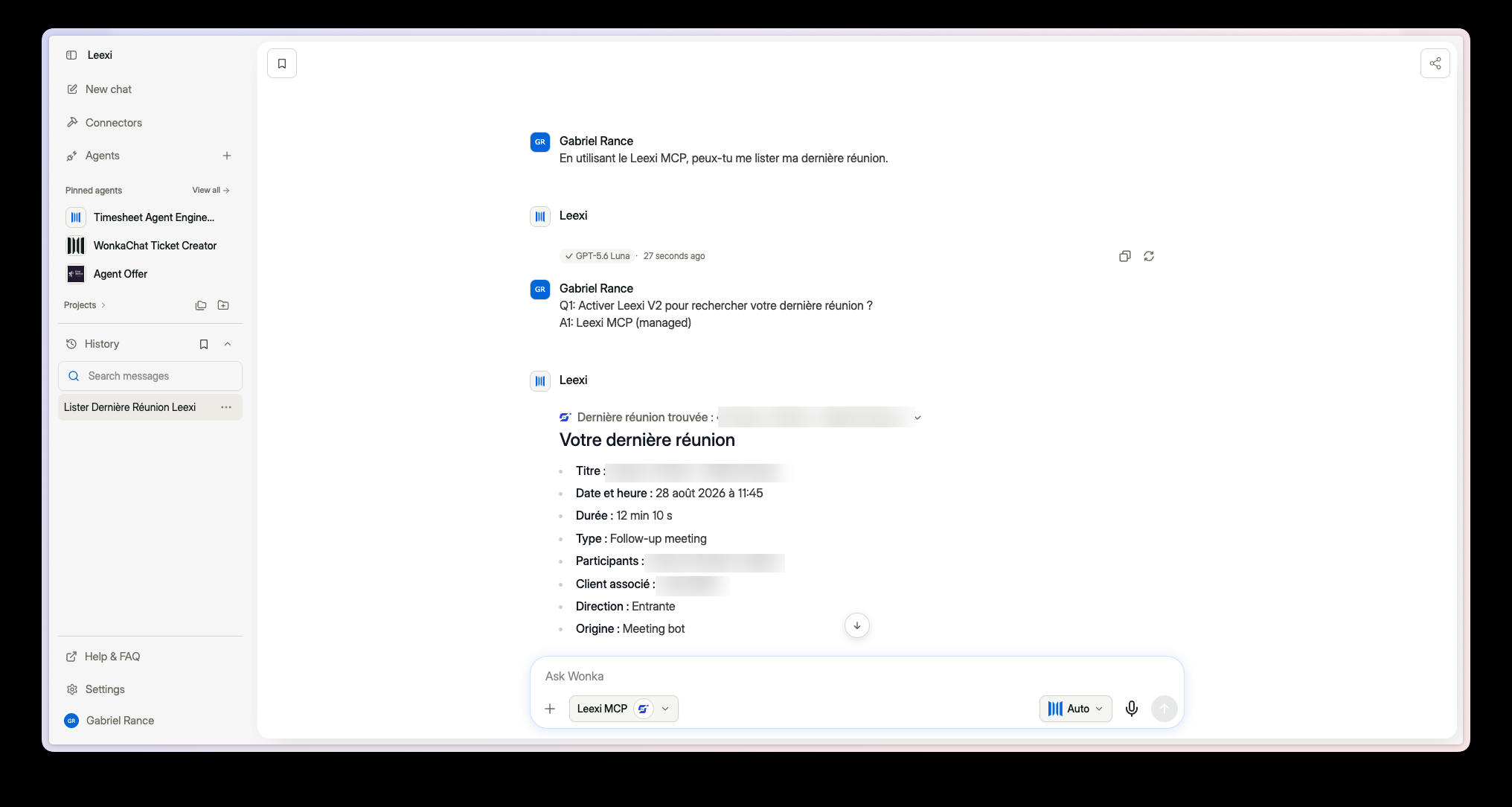
Select Leexi MCP in the message bar, then ask about your meetings in natural language.
Going further
What you can do once connected
| Tool | What it does |
|---|---|
query_calls | Searches your calls by date, participant, team, client, and more |
fetch_call_details | Retrieves the full summaries, follow-up tasks, and metadata of specific calls |
query_resources | Searches Leexi's product documentation |
fetch_resource_details | Retrieves the full content of documentation articles |
You can reference these tools in your Wonka Chat agents' instructions to build workflows that query your meeting data.
Frequently asked questions
https://api.leexi.ai/mcp: Leexi supports Dynamic Client Registration, so no Client ID or secret is required.Check that your browser allows pop-ups from api.leexi.ai and that you're signing in with the correct Leexi account.
If the issue persists, contact Leexi support at support@leexi.ai or via the chat widget on app.leexi.ai.