

CRM
Tribe CRM
Connect Tribe CRM to Leexi to sync your CRM information and receive your Leexi calls in Tribe.
Who is this for?
- For administrators managing the company's integrations.
Permissions and licenses
- Administrator rights on your Leexi and Tribe accounts.
- License required: depending on your plan, check availability in Settings > General > Integrations.
How to use it
Retrieve your organization ID in Tribe
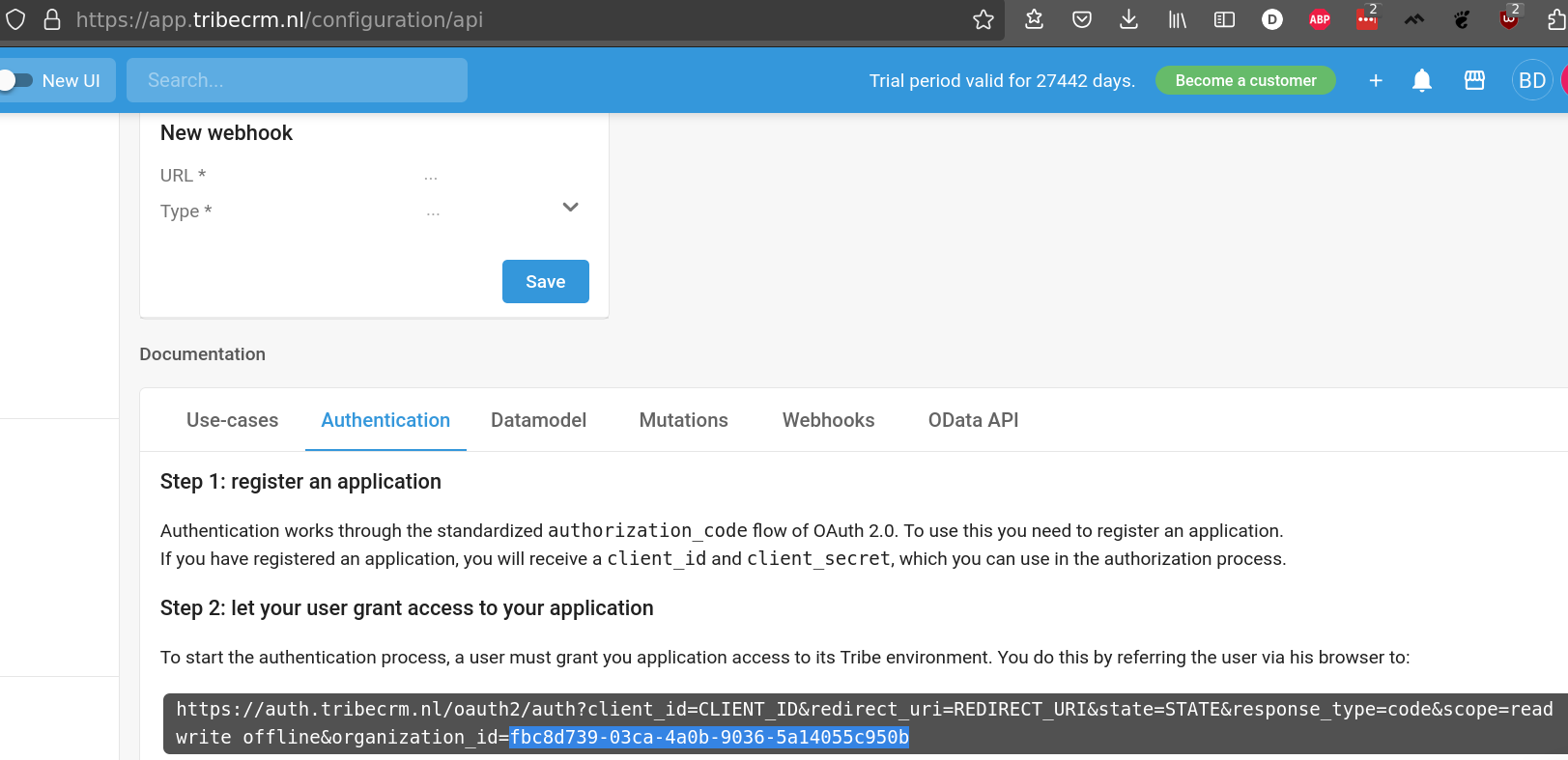
Go to https://app.tribecrm.nl/configuration/api and, in the Authentication tab, retrieve your organization_id.
Enable the integration in Leexi
Go to https://app.leexi.ai/en/settings/integrations, find the Tribe integration, and click Add. Enter your organization_id, then click Save.
Done! Your CRM information is now synced with Leexi and you'll receive your Leexi calls in Tribe.